Breached password protection
FoxIDs can reject passwords that appear in a breached-password or pwned-password dataset. This check reduces password reuse risk by comparing a proposed password hash with passwords exposed in known data breaches.
The dataset is uploaded once per FoxIDs deployment in the master tenant and can then be enabled by password policies in every tenant and environment. Passwords are checked locally against the imported hashes; the plain-text password is not sent to the source of the dataset.
1) Download risk passwords (pwned passwords)
Download the SHA-1 pwned passwords in a single file from haveibeenpwned.com/passwords using the PwnedPasswordsDownloader tool.
Be aware that it takes some time to download all risk passwords.
2) Upload risk passwords to FoxIDs
You then upload the risk passwords with the FoxIDs master seed tool console application.
Download the FoxIDs.MasterSeedTool-x.x.x-win-x64.zip file for Windows or FoxIDs.MasterSeedTool-x.x.x-linux-x64.zip file for Linux from the FoxIDs release and unpack the master seed tool.
Configure the master seed tool
The master seed tool is configured in the appsettings.json file.
Access to upload risk passwords is granted in the master tenant.
Create a master seed tool OAuth 2.0 client in the FoxIDs Control Client:
This will grant the master seed tool full access to the FoxIDs installation.
- Login to the master tenant
- Select the Applications tab
- Click New Application
- Click Backend Application
- Select Show advanced
- Add a Name e.g.,
Master seed tool - Change the Client ID to
foxids_master_seed - Click Register
- Remember the Authority.
- Remember the Client secret.
- Click Close
- Click on the application in the list to open it
- In the Resource and scopes section
- Remove the check mark from Default resource 'foxids_master_seed' for the application itself
- Click Add Resource and scope and add the resource
foxids_control_api - Then click Add Scope and add the scope
foxids:master
- Select Show advanced
- In the Issue claims section
- Click Add Claim and add the claim
role - Then click Add Value and add the claim value
foxids:tenant.admin
- Click Add Claim and add the claim
- Click Update
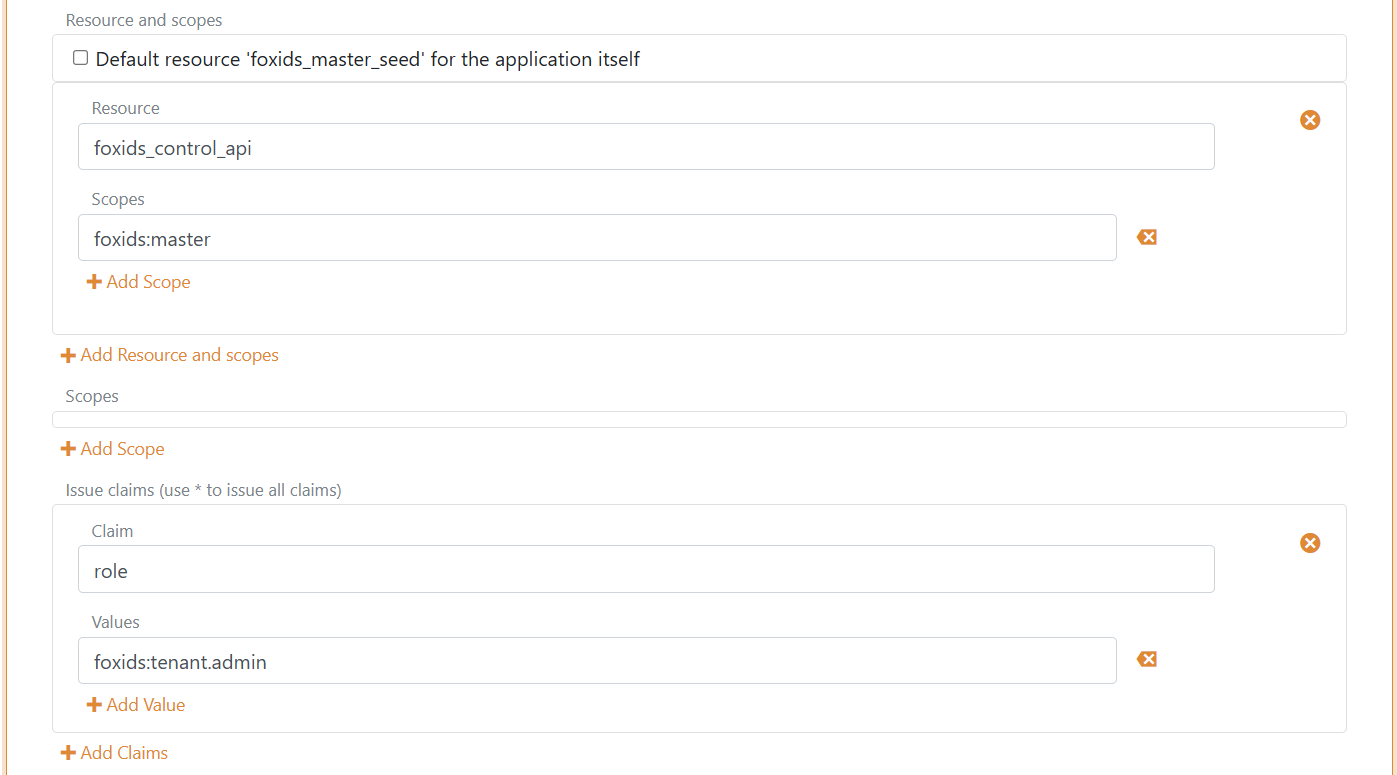
Add your FoxIDs Control API endpoint and the master seed tool Authority, Client secret and local risk passwords (pwned passwords) file to the master seed tool configuration.
"SeedSettings": {
    "FoxIDsControlEndpoint": "https://control.foxids.com", // self-hosted "https://control.yyyyxxxx.com" or local development https://localhost:44331
    "Authority": "https://id.foxids.com/zzzzz/master/foxids_seed/", // custom domain, self-hosted or local development "https://https://localhost:44331/zzzzz/master/foxids_seed/"
    "ClientId": "foxids_master_seed",
    "ClientSecret": "xxxxxx",
    "Scope": "foxids_control_api:foxids:master",
    "PwnedPasswordsPath": "c:\\... xxx ...\\pwned-passwords-sha1-ordered-by-count-v4.txt"
}
Run the master seed tool
- Start a Command Prompt
- Run the master seed tool with
MasterSeedTool.exe - Click
Rto start uploading risk passwords
The risk password upload will take a while.
3) Test
Open Settings > Risk passwords in the FoxIDs Control Client master tenant to see the number of imported password hashes and test whether a password has appeared in breaches.