Environments
An environment is an independent Identity Provider inside a FoxIDs tenant. Create separate environments for stages such as development, test, and production, or whenever users, credentials, applications, or trust configuration must be kept apart.
The tenant's master environment is used for tenant administration. Create one or more regular environments for operational users, authentication methods, and application registrations instead of placing that configuration in the master environment.
Environment separation
Each environment has its own technical name and FoxIDs endpoints. Runtime identity data and configuration are scoped to the environment and are not shared automatically with other environments.
For example:
- A user created in a development environment does not exist in production.
- Certificates, authentication methods, application registrations, password policies, claim mappings, and user-facing texts are configured per environment.
- An application or authentication method in one environment does not automatically trust another environment.
- Environments are connected only when you explicitly configure Environment Link within a tenant or OpenID Connect across environments or tenants.
This separation allows development and test configuration to evolve without changing production identities or trusts.
What an environment contains
When an environment is created, FoxIDs automatically creates:
- An environment-specific user repository.
- A primary certificate used by the environment.
- A default Login authentication method.
You can then add application registrations, additional authentication methods, access structures, users, certificates, and environment-specific settings. The environment's technical name identifies it in FoxIDs endpoints and Control API routes.
Create an environment
- Open the environment selector at the top of the FoxIDs Control Client.
- Click New environment.

- Enter the environment Name.
- Optionally enable Show advanced and enter a Technical name. If omitted, FoxIDs generates the technical name.
- Click Create.
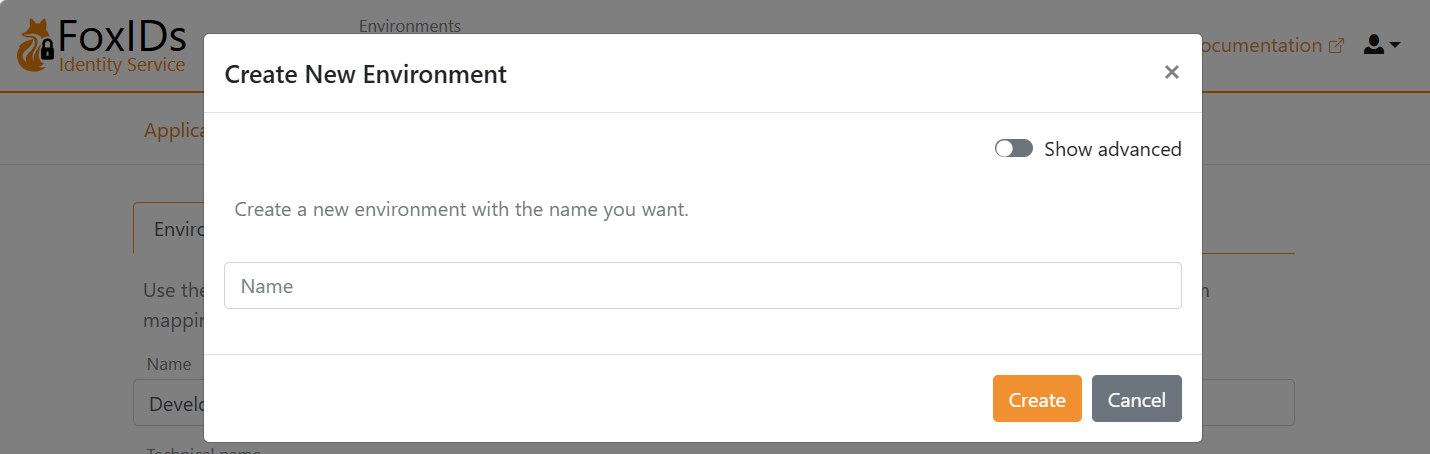
FoxIDs creates the user repository, certificate, and Login authentication method and then selects the new environment. The display name can be changed later; the technical name is read-only after creation.
Configure an environment
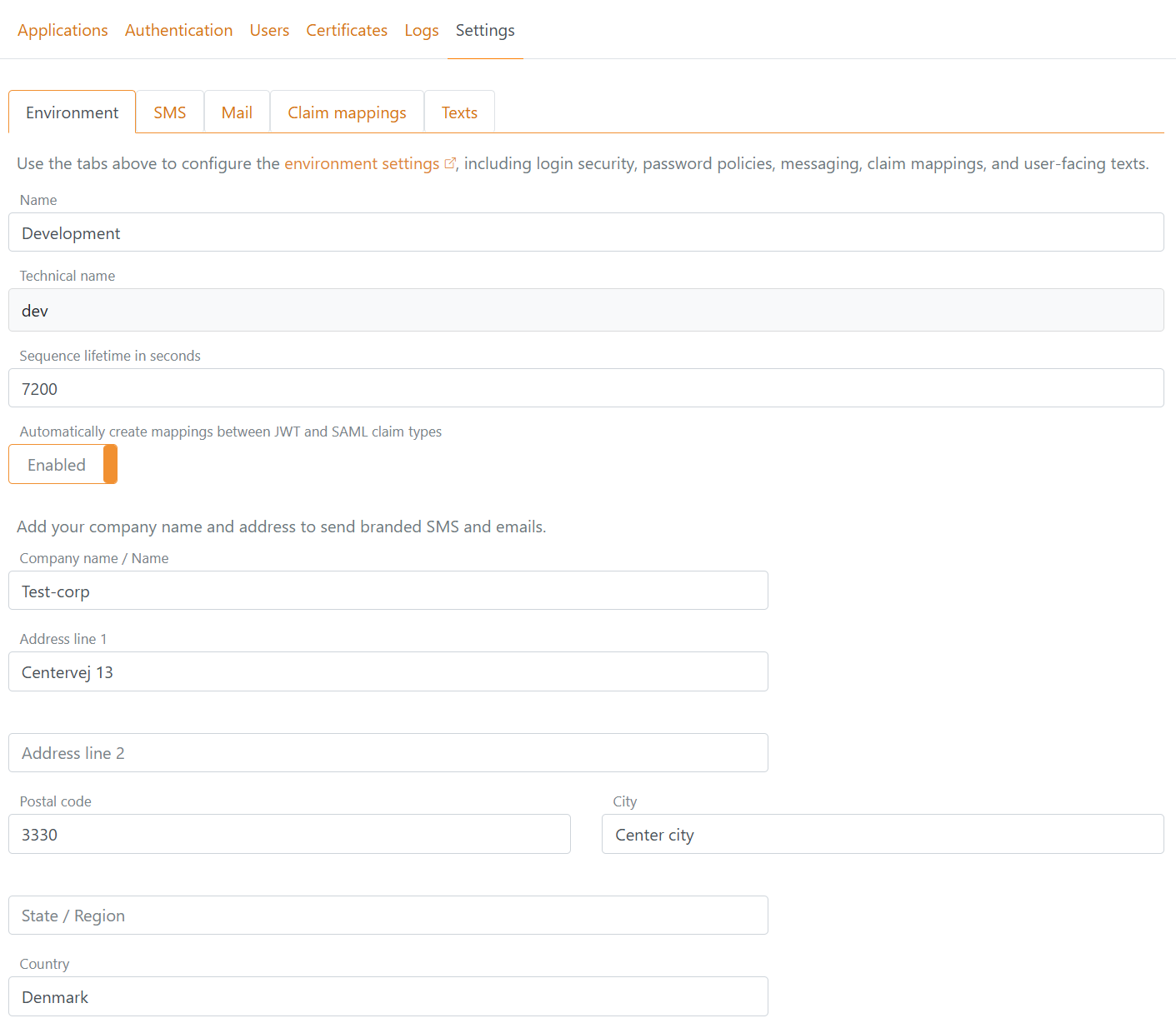
Select the environment, open Settings, and select the Environment tab.
The general settings configure:
- The editable display Name and read-only Technical name.
- Sequence lifetime in seconds, which is the maximum duration of a user's login flow from start to finish.
- Automatic creation of mappings between JWT and SAML claim types.
- Company name and address used for branded SMS and email messages.
The same tab also contains:
- Login settings for authentication loop detection and failing login lockout.
- Password settings for the built-in password policy and password policy groups.
- Configuration for the External Password API and Directory Connector.
- Iframe settings that restrict which domains may host FoxIDs in an iframe.
Authentication loop detection
Authentication loop detection is enabled by default for browser-based OpenID Connect, SAML 2.0, and WS-Federation sign-in. It stops a browser from repeatedly completing authentication for the same application registration while leaving other applications in the environment independent.
The observation window starts when the first successful authentication response is returned to an application. Further successful responses for that application increase the count without moving the window start. Failed or cancelled authentication attempts are not counted. When the fixed observation period expires, the next successful response starts a new window with a count of one.
FoxIDs checks the current count after accepting a new application authentication request and before redirecting the browser to an authentication method. When the configured maximum has already been reached, FoxIDs shows a local error page and does not redirect to the application. A request that has already been accepted is allowed to complete with a valid response; the count is then updated without a second blocking check.
The successful-response limit can be set from 3 to 20 and defaults to 5. The observation period can be set from 5 to 300 seconds and defaults to 20 seconds. The state is stored in a protected, environment-scoped browser session cookie containing up to ten application registrations. An invalid cookie is ignored and replaced after the next successful response.
Token, refresh-token, active WS-Trust, IdP-initiated, and internal Environment Link flows are not counted.
The remaining settings tabs configure environment-specific features:
- SMS and Mail configure SMS and email providers.
- Claim mappings configure custom JWT and SAML claim mappings and show the built-in defaults.
- Texts customise user-facing text resources.