SAML 2.0
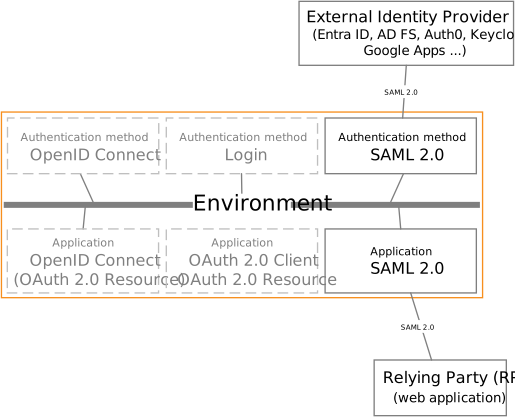
FoxIDs support SAML 2.0 as both authentication method and application registration.
SAML (Security Assertion Markup Language) 2.0 is an XML-based open standard for authentication and authorization. It enables Single Sign-On (SSO), allowing users to authenticate once and gain access to multiple applications without needing to re-enter credentials.
The two SAML 2.0 flows are supported in authentications methods and application registrations. The SP-Initiated Login flow, which is the most widely used, and the recommended flow and IdP-initiated Login flow.
Authentication method
Configure SAML 2.0 authentication method which trust an external SAML 2.0 Identity Provider (IdP).
SAML 2.0 is widely used in enterprise environments, enabling secure identity federation across different organizations and applications.
How to guides:
- Connect PingIdentity / PingOne
- Connect Google Workspace
- Connect Microsoft AD FS
- Connect NemLog-in (Danish IdP)
- Connect Context Handler (Danish identity broker)
- Connect two FoxIDs environments in the same tenant with a Environment Link
Application registration
Configure your application as a SAML 2.0 application registration.
How to guides:
Claim mappings
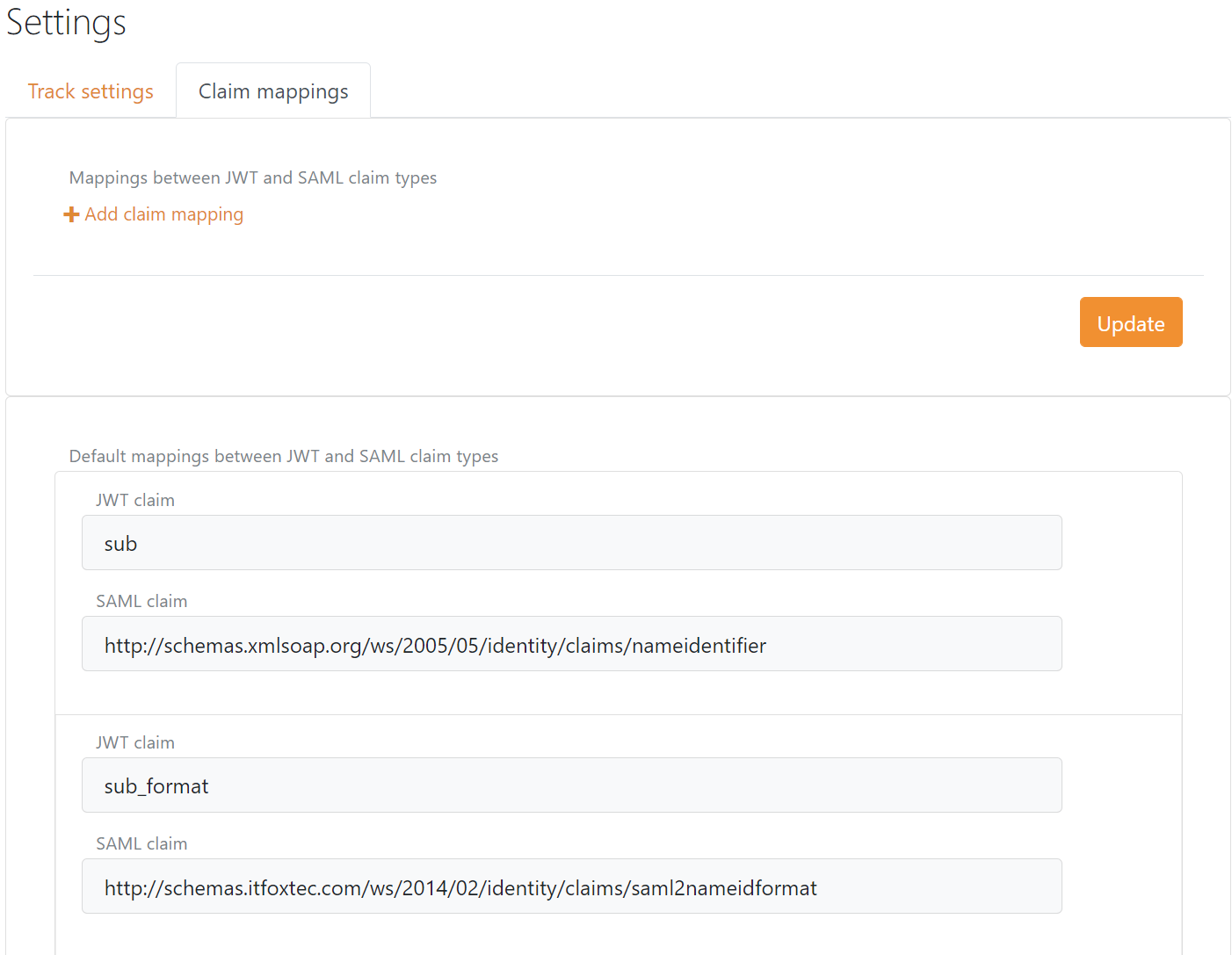
Claim mapping between SAML 2.0 claim types and JWT claim types is created automatically and can be configured in the setting menu in FoxIDs Control. The claim mappings is global for the environment.
SAML 2.0 claims are internally converted to JWT claims between authentication method and application registration.