External users
You can use just-in-time (JIT) provisioning to create external users and associate them with an external identity.
An external user is associated with one authentication method (OpenID Connect, SAML 2.0, External Login, or Environment Link) and can only be authenticated using that authentication method.
Using external users is optional; they are not created by default.
All external users grouped under an authentication method are linked with the same claim type (e.g. the sub claim type) and the users are separated by unique claim values.
With external users you can store claims on each user. For example, store your user ID claim representing the user in your system and thereby map the external user ID to your user ID.
An automatically generated unique ID is added to each external user by default.
The generated unique ID is issued in the local_sub claim when the external user signs in.
If you store one or more local_sub claims on the external user, the stored values are also returned, but they are prefixed with the authentication method name in the format {authentication-method-name}|{value}.
This keeps stored local_sub values unique per authentication method while still adding the generated external user ID as local_sub.
For an overview of user concepts (internal users, external users and external user stores) see the users overview.
External users can also be assigned access structure memberships to model hierarchical access and resolve access claims during login.
Create external user
Depending on the selected authentication method's configuration, new users are optionally asked to fill out a form to create a user.
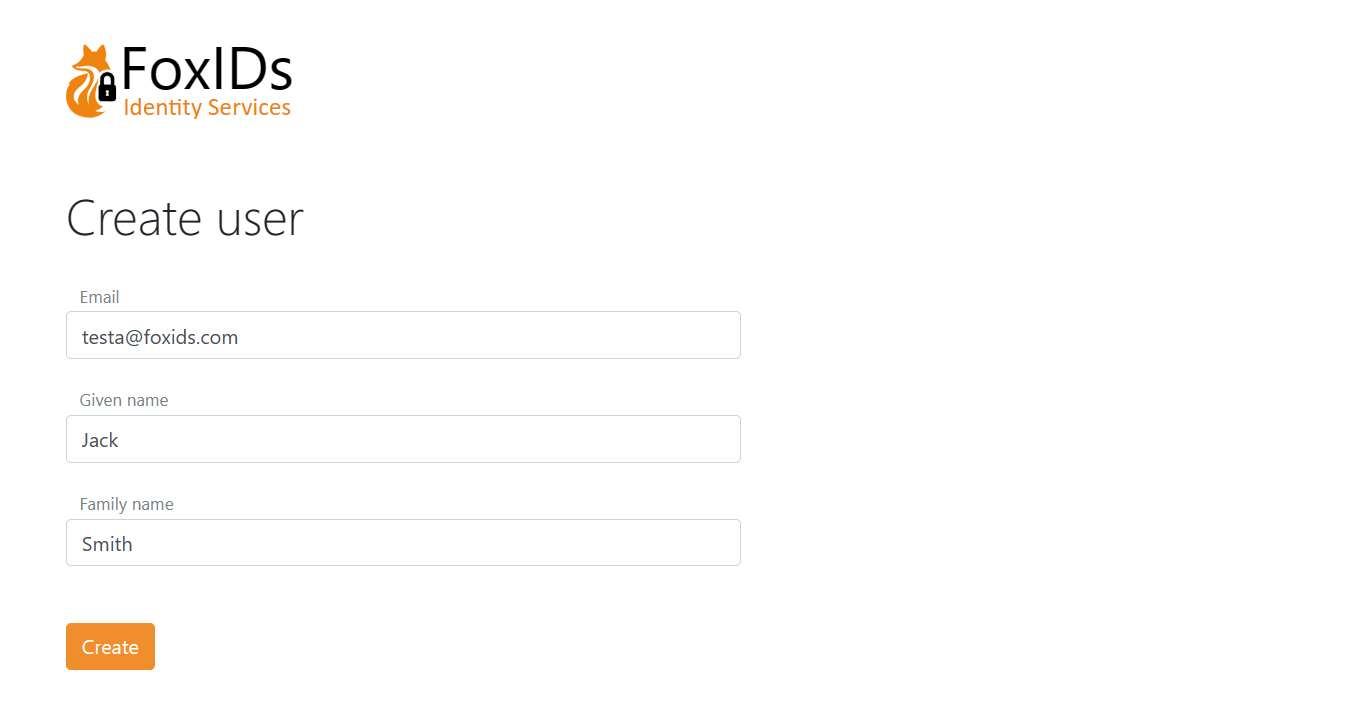
The page is composed of dynamic elements which can be customised per authentication method.
In this example the create user page is composed of three elements: Email, Given name and Family name, ordered with the Email element at the top.
This is the configuration in a OpenID Connect authentication method.
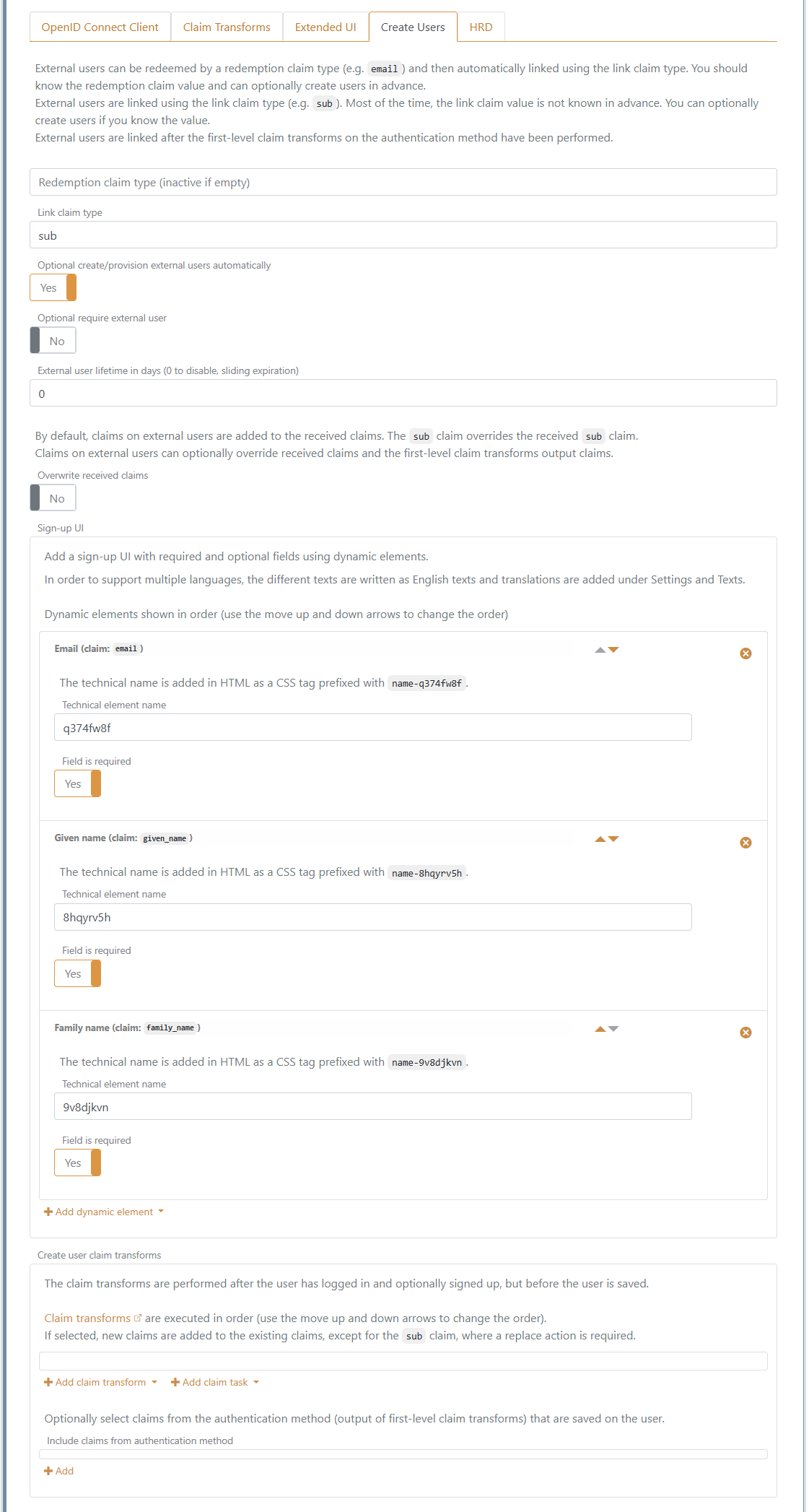
Claim transformations can be added that are performed just before the external user is created.
If the login sequence is started based on a login authentication method, it provides the basis for the UI look and feel (customise). Otherwise, the default login authentication method is selected as the base.
Provision and redeem
External users can be created, updated, and deleted with the Control Client or be provisioned through the Control API.
You probably do not know the link claim value in advance because it is an external user ID. But if you do, it is possible to create users and associate them with the link claim value. Most often, you will know a redemption claim in advance instead.
The external users can be redeemed by a redemption claim type (e.g. email) and they are then automatically linked with the link claim type.
It is bad practice to link users based on their email over a long period of time, as emails can change. But the email is unlikely to change within the short redemption period.
Once the user has been redeemed, the external user is subsequently logged in based on the link claim value.
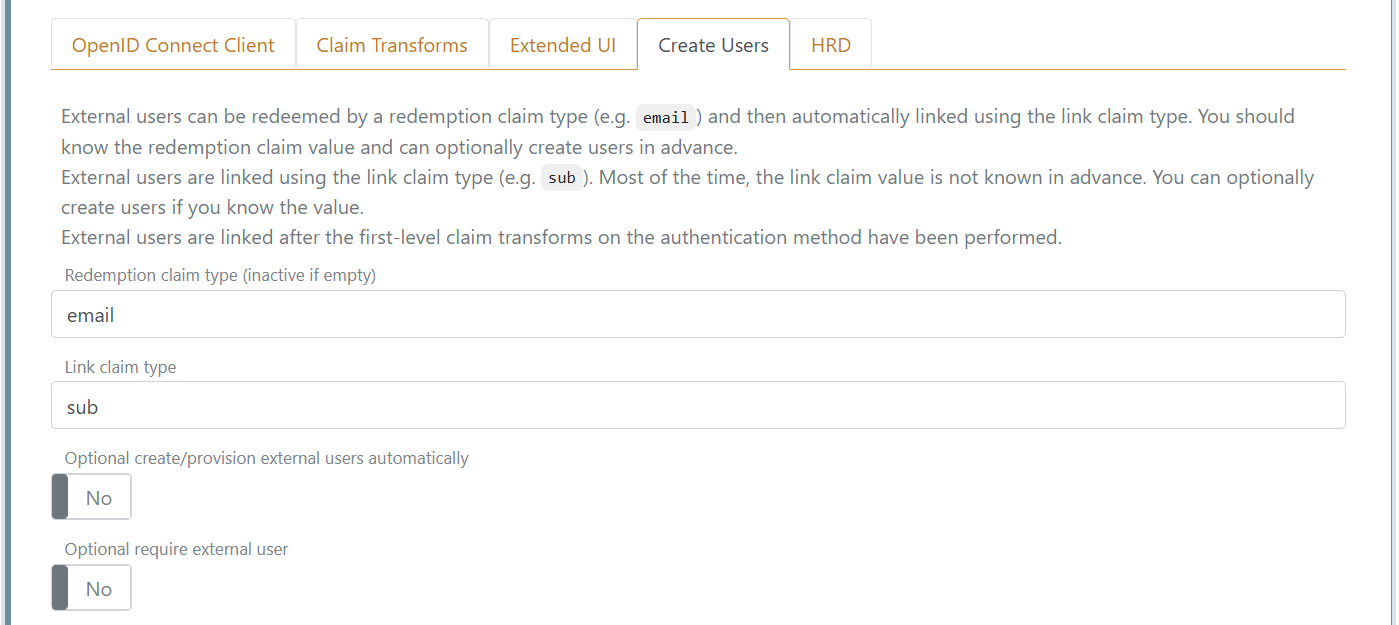
This authentication method is configured with email claim redemption and sub link claim type.
And users are added with their known email as the redemption claim value.
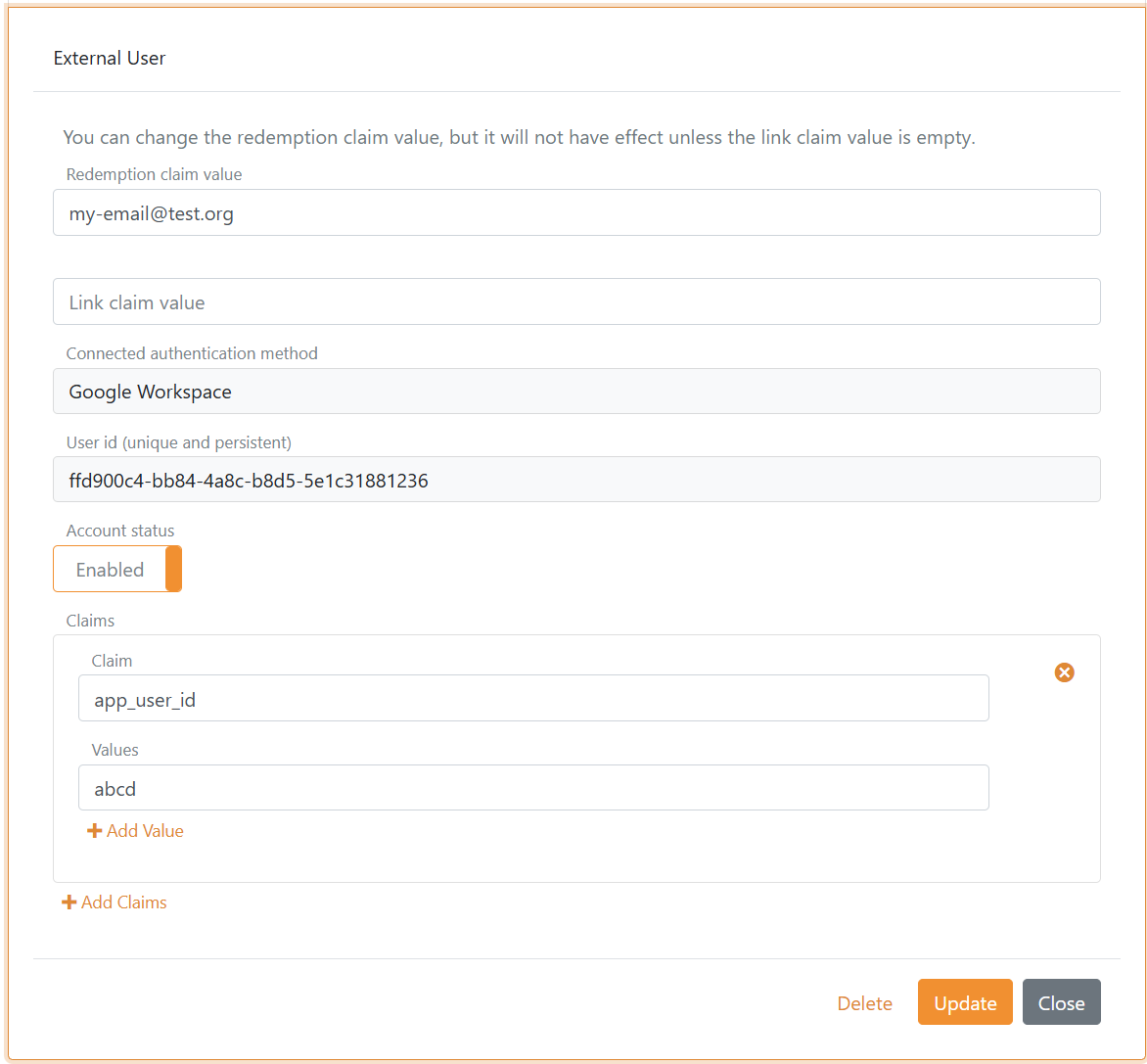
In this example the user is connected to Google Workspace with an OpenID Connect authentication method and an app_user_id claim is added with an internal user ID.
You can reset a redeemed user by deleting the link claim value and, if necessary, also changing the redemption claim value. The external user is then redeemed again next time the user logs in.
Migrate external users between authentication methods
You can migrate external users between authentication methods and identity providers while keeping the generated unique external user ID that is issued in the local_sub claim. This means that an application or backend does not need to change its user reference, as long as it is bound to the FoxIDs user ID rather than the identity provider-specific external ID.
When a user is migrated and the external user ID changes, delete the link claim value to reset the external user. The user is then redeemed against the configured authentication method the next time the user signs in. If the e-mail address changes, also update the redemption claim value.
Migrate from one identity provider to another where the old identity provider is phased out.
Rename the existing authentication method. The related external users then become floating users, not currently bound to an active authentication method with that name. You can then create the new authentication method with the original name, and the existing external users are thereby automatically connected to it. If the external user ID changes from the old to the new external identity provider, delete the link claim value. The user is then redeemed against the new identity provider the next time the user signs in. If the e-mail address changes, the redemption claim value should also be updated.Migrate from one identity provider to another where the old identity provider remains active.
Update the external users to point to the new authentication method and delete the link claim value. This can be done through the Control API by changing the connected authentication method withUpdateUpPartyName, deleting the link claim value withUpdateLinkClaimValue = "", and, if the e-mail address changes, updating the redemption claim value withUpdateRedemptionClaimValue.Migrate from one Entra ID tenant to another Entra ID tenant using a common Entra ID authentication method.
This scenario is relevant if tenants share a common Entra ID authentication method and not if each customer has a separate authentication method. A user cannot be moved from one Entra ID tenant to another while keeping the same external user ID. The user is instead represented as a new external identity in the new tenant, even if the e-mail address is the same. Delete the link claim value so the external user can be redeemed again against the new Entra ID tenant. If the e-mail address changes, the redemption claim value should also be updated.