Logging
FoxIDs logs warnings, errors, critical errors and events by default. Log entries include a timestamp and relevant request or identity context, such as the client IP address, when available. Additional traces and metrics can be enabled per environment for diagnostics.
Troubleshooting browser errors
The browser error page shows a general message for unexpected failures, together with the time and operation ID when available. If the login or account-action sequence can be identified, the page also shows its sequence ID. Use the operation ID to find the failing request and the sequence ID to follow related operations in the logs in FoxIDs Control or your configured log destination. Known recoverable conditions, such as a login timeout, can show specific guidance and a retry option. If a feature is unavailable in the current plan, the page shows the plan name and guidance to upgrade. Account flows can also supply a specific, localised UI message, such as a missing phone number required for two-factor authentication.
Technical exception messages, stack traces and connector diagnostics are kept out of the general error page in every hosting environment. If error handling itself fails, the fallback page also keeps technical details in the logs. Review diagnostic logs only with authorised administrative access; do not share their contents with an unauthenticated caller.
Log destinations
Set the log destination with Settings__Options__Log. FoxIDs supports three options:
Stdoutwrites logs to the console output. It is suitable for small Docker and Kubernetes deployments where the hosting platform collects console logs.OpenSearchAndStdoutErrorswrites searchable logs to OpenSearch and also writes errors to the console output. It is commonly used for Kubernetes deployments.ApplicationInsightssends searchable logs to Azure Application Insights. It is commonly used for Azure deployments.
FoxIDs Control can search logs, usage and audit data when OpenSearchAndStdoutErrors or ApplicationInsights is configured. With Stdout, use the logging facilities provided by the hosting platform.
Stdout format and minimum level
FoxIDs uses the standard .NET Console logging configuration under Logging:Console for output written to stdout. The simple text formatter is used unless another formatter is configured. The supplied Kubernetes deployment selects the JSON formatter so that each log entry can be collected as a single structured line.
With the JSON formatter, the log text is written to Message, contextual properties such as RequestId, RequestPath, tenant and environment are written as separate fields under State, and exception details are written to Exception. Metrics also include a numeric State.Value. JSON entries use UTC timestamps in yyyy-MM-ddTHH:mm:ss.fffZ format by default. The simple formatter retains the multi-line text representation.
Set the JSON formatter with an environment variable:
Logging__Console__FormatterName=json
The timestamp defaults can be overridden through the standard formatter options, for example:
Logging__Console__FormatterOptions__TimestampFormat=yyyy-MM-ddTHH:mm:ssZ
Logging__Console__FormatterOptions__UseUtcTimestamp=true
The Console minimum log level is Trace by default, preserving all log types that are enabled in the FoxIDs environment log settings. You can raise the minimum independently for each deployment, for example:
Logging__Console__LogLevel__Default=Information
The minimum level affects stdout output as follows:
| Minimum level | Stdout output |
|---|---|
Trace |
Traces, events, metrics, warnings and errors |
Information |
Events, metrics, warnings and errors |
Warning |
Warnings and errors |
Error |
Errors and critical errors |
Critical |
Critical errors only |
The Console minimum level is an additional filter. It does not enable traces or metrics that are disabled in the environment's log settings.
Logs in FoxIDs Control
Open Logs in the FoxIDs Control Client to switch between operational logs, usage, audit records and environment log settings.
Logs
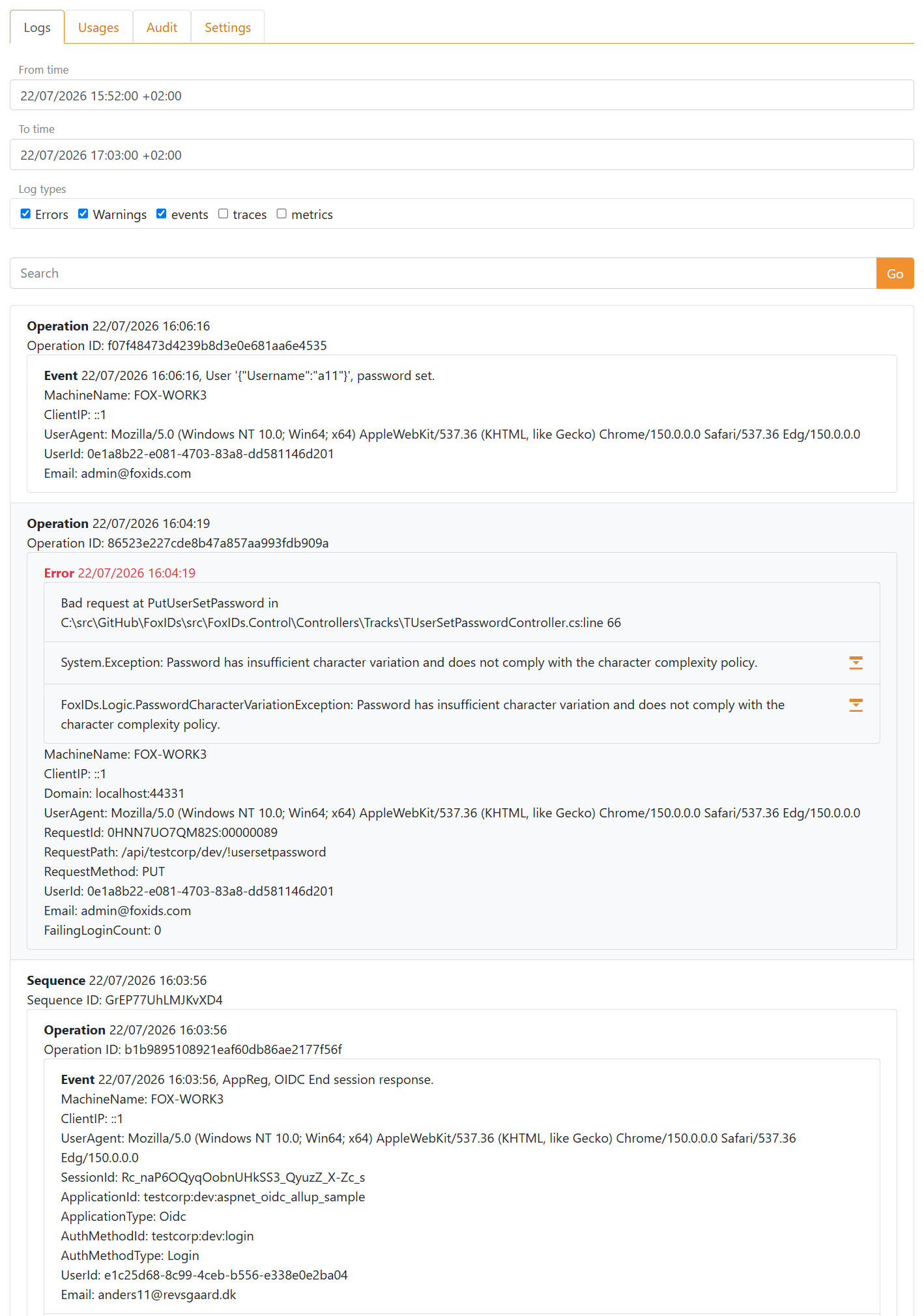
The Logs tab searches operational log entries. Select the time range and log types, and optionally enter search text to narrow the result. Errors and warnings are selected by default. Events are also selected by default in a regular environment, while traces and metrics are available when they have been enabled in the environment's log settings.
Requests rejected before tenant and environment routing are classified as rejected requests and excluded from ordinary events. In the master tenant, select rejected requests to investigate them by request path, HTTP method and available request context. Rejected requests are not available in other tenants.
Related entries are grouped by sequence and operation so you can follow an authentication flow or request and inspect its events, contextual properties and exceptions.
Usage
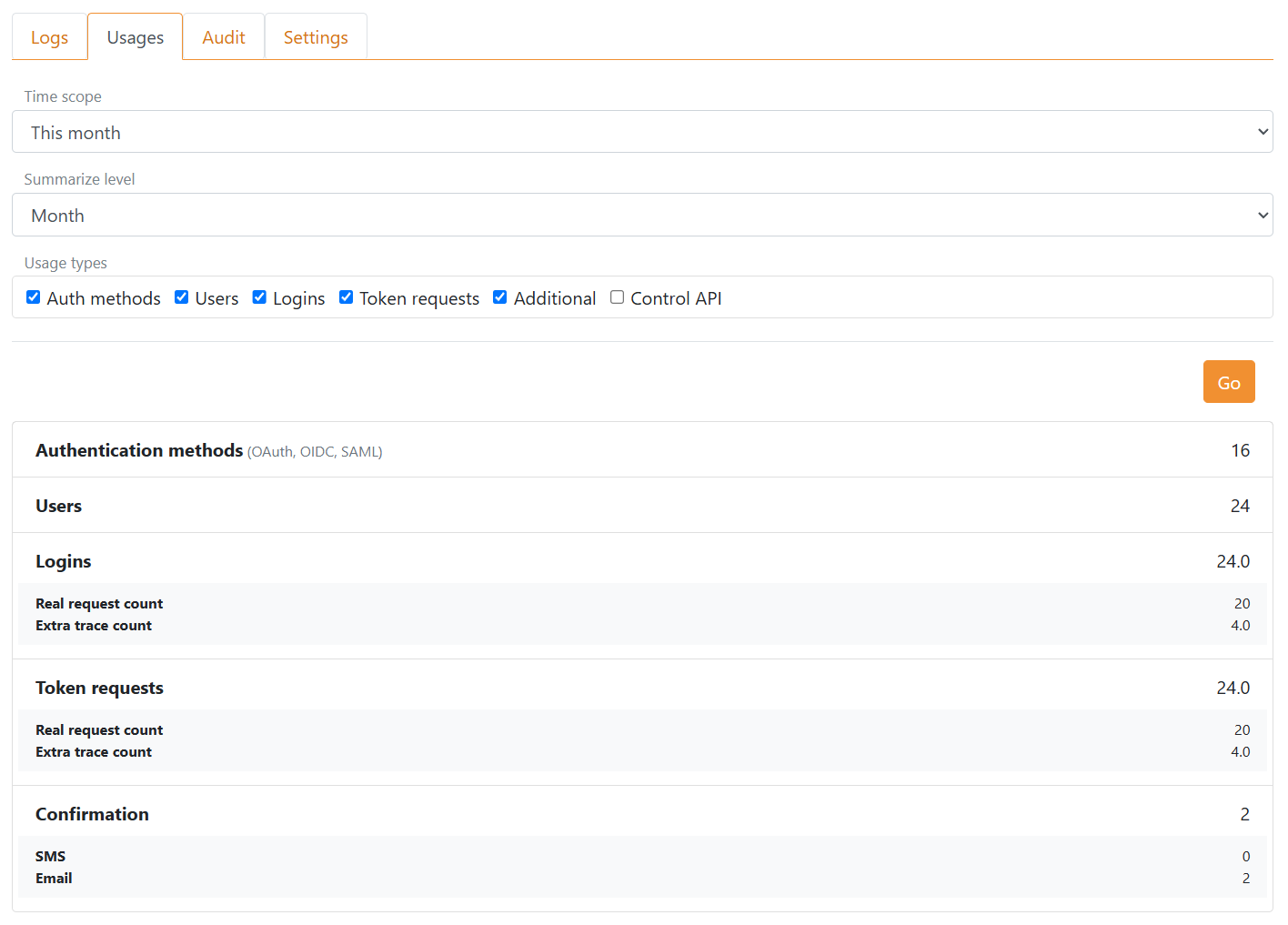
The Usages tab summarises activity for a selected time scope and interval. You can include authentication methods, users, logins, token requests, additional operations and Control API calls.
The selected administration scope determines which usage is shown:
- In a regular environment, the result contains usage for that environment.
- In a tenant's master environment, the result contains usage for the entire tenant and can be limited to a particular environment.
- In the master tenant's master environment, the result contains usage for the complete FoxIDs deployment and can be limited to a tenant and environment.
Audit logs
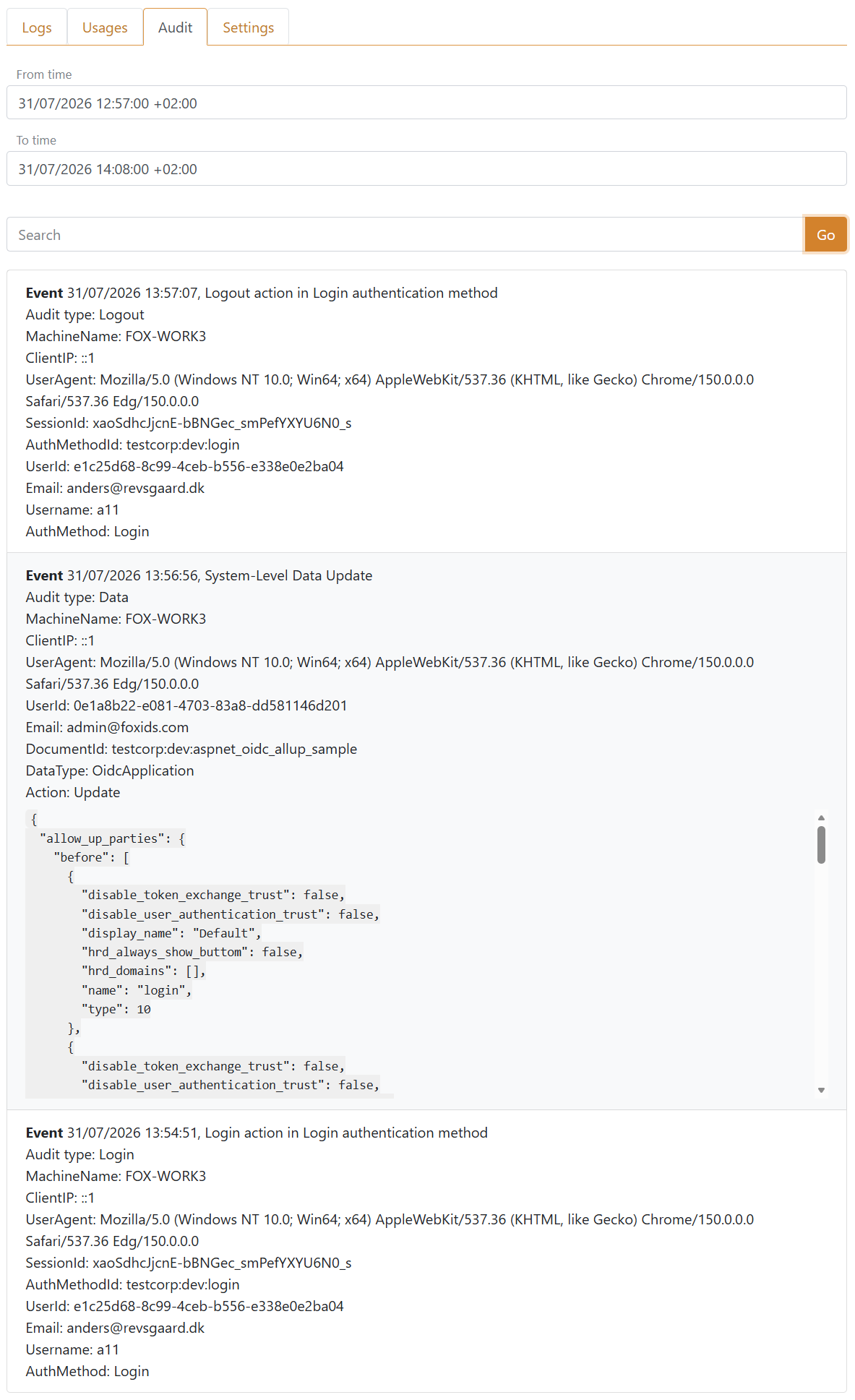
The Audit tab records security-relevant user activity and administrative changes. Audit log search is available with OpenSearchAndStdoutErrors and ApplicationInsights; it is not available when the log destination is Stdout.
Select a time range of up to seven days and optionally enter search text. A search returns up to 300 of the newest matching records and shows a warning when the result is truncated. Search text is matched against the event name, audit type, action, user identifiers, authentication method, registration or document ID, tenant, environment and changed data.
Audit records use the following types:
| Audit type | Recorded activity |
|---|---|
Data |
Administrative data changes made through FoxIDs Control or the Control API. |
Login |
A completed user login through an authentication method. |
Impersonation |
Starting, changing or stopping impersonation. |
Logout |
A completed user logout through an authentication method. |
ChangePassword |
A user password change. |
CreateUser |
Creation of a user during a login flow. |
RegisterAuthenticatorApp |
Registration of an authenticator app for a user. |
Each record shows the audit type and available context. Sub identifies the user by their FoxIDs subject. UserId contains the account's actual user ID when a FoxIDs user account is known; LocalAccountKey identifies the internal or external account association. Email address, phone number, username, session ID and authentication method are included when available. These identifiers can also be searched in operational logs. An authenticator app registration includes its RegistrationId.
During impersonation, the common user fields describe the original user. TargetSub, TargetUserId and the other Target* fields describe the impersonated user. Events and traces for the request include ImpersonationAction: start, change, stop or continue. When the session ID changes, PreviousSessionId links to the preceding session, and PreviousTargetSub and PreviousTargetAccountKey identify the previous target when available.
For a Data record, DataType identifies the kind of configuration data, DocumentId identifies the affected item and Action is Create, Update, Save or Delete. The formatted JSON data shows the changed values with before and after values where applicable. Sensitive properties such as secrets, hashes, nonces and keys are masked.
The selected administration scope determines which audit records can be searched:
- In a regular environment, the result contains records for that environment.
- In a tenant's master environment, the result contains records for the tenant and can be limited to a particular environment.
- In the master tenant's master environment, the result contains records for the complete FoxIDs deployment and can be limited to a tenant and environment.
Log settings
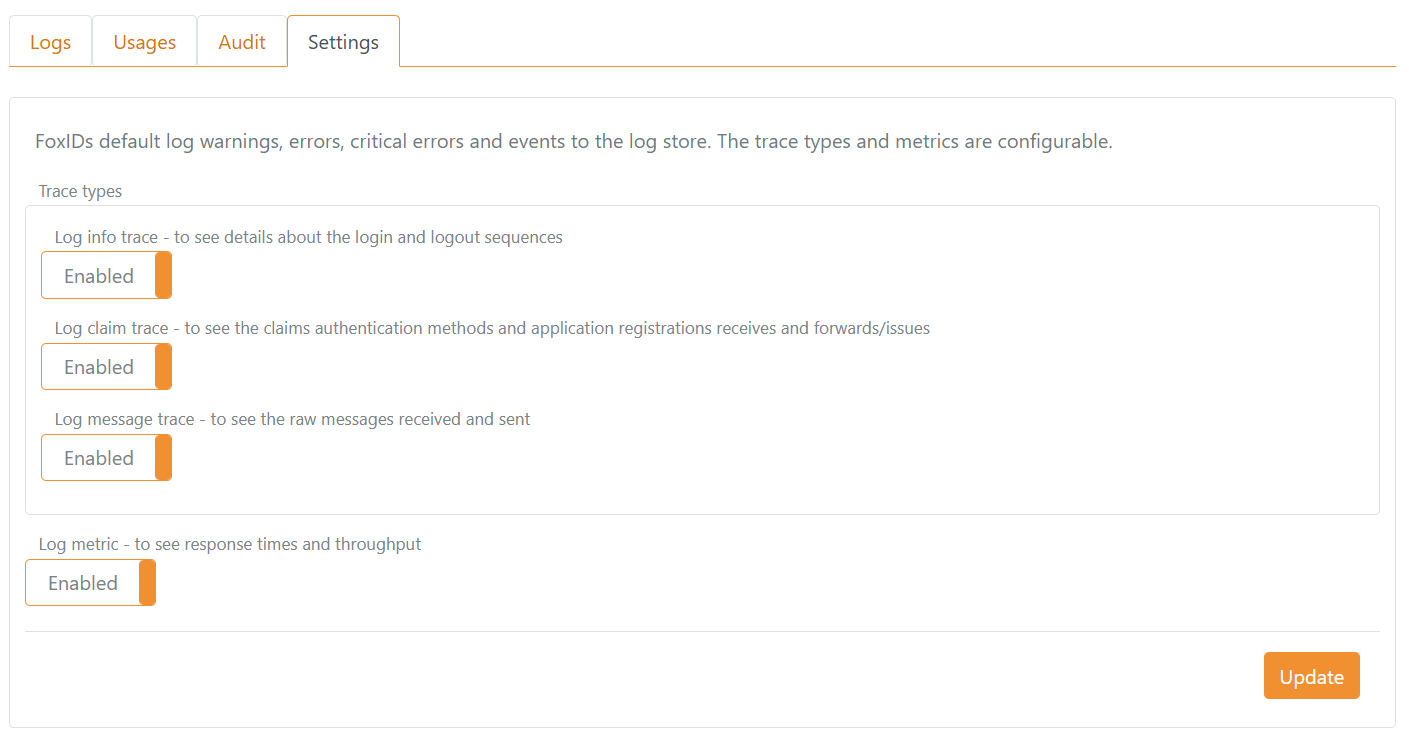
Open Logs > Settings to configure the diagnostic detail recorded for the selected environment:
- Log info trace records details about login and logout sequences.
- Log claim trace records the claims received and forwarded or issued by authentication methods and application registrations.
- Log message trace records raw protocol messages received and sent.
- Log metric records response times and throughput.
Warnings, errors, critical errors and events continue to be logged independently of these settings.
Claim and message traces can contain personal data, tokens and other sensitive protocol content. Enable them only when needed for diagnostics, restrict access to the log store and apply an appropriate retention period.
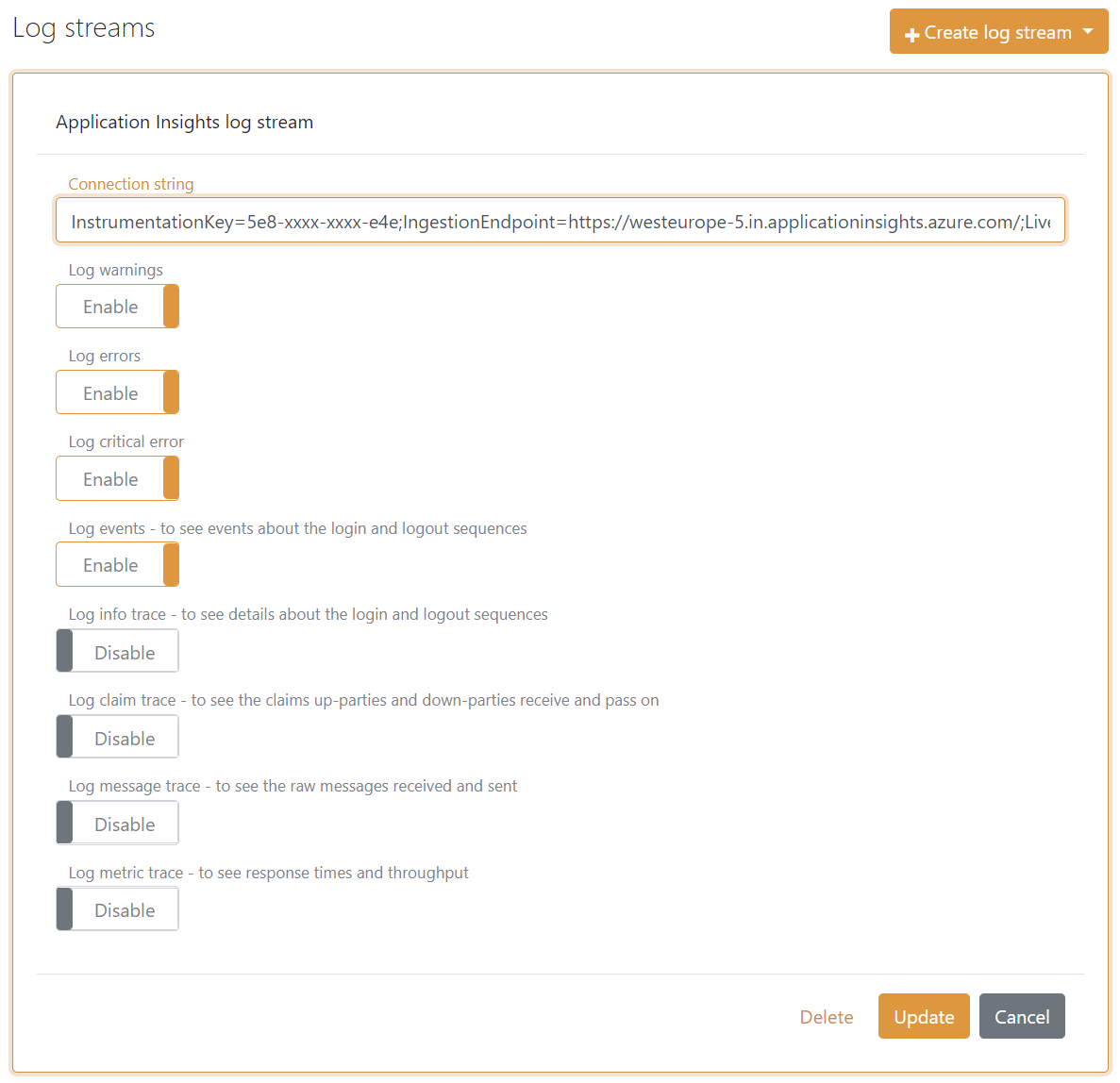
Log stream
A log stream forwards selected log types to an external repository independently of the configured primary log destination. For example, add an Azure Application Insights log stream and select which log types FoxIDs should send.