Interconnect FoxIDs environments with Environment Link
Use Environment Link quando um ambiente FoxIDs num tenant deve confiar noutro ambiente FoxIDs no mesmo tenant para autenticar utilizadores. O Environment Link foi criado especificamente para sign-in de ambiente para ambiente dentro do mesmo tenant.
Comparado com OpenID Connect, o Environment Link e mais simples de configurar e usa um fluxo de integracao mais curto. E a opcao preferida quando ambos os ambientes estao no mesmo tenant.

O Environment Link e rapido e seguro, mas funciona apenas dentro do mesmo tenant. Use OpenID Connect between environments se precisar de ligar ambientes entre tenants diferentes ou deployments FoxIDs separados.
Veja a configuracao sample de environment links no FoxIDs Control: https://control.foxids.com/test-corp Inicie sessão com o endereço de e-mail e a palavra-passe do leitor apresentados na página de início de sessão e, por exemplo, examine os ambientes
nemlogineProduction.
O Environment Link suporta login, logout e single logout. Tal como outros metodos de autenticacao e application registrations, tambem suporta claims and claim transforms, tratamento de sessao de logout e Home Realm Discovery, HRD.
Configure integration
Os passos seguintes ligam dois ambientes chamados Environment X e Environment Y. Environment X ira confiar em Environment Y como metodo de autenticacao para sign-in de utilizadores.
Selecione no ambiente Environment X no FoxIDs Control Client
Selecione o separador Authentication
Clique em New authentication
Selecione Show advanced
Selecione Environment Link
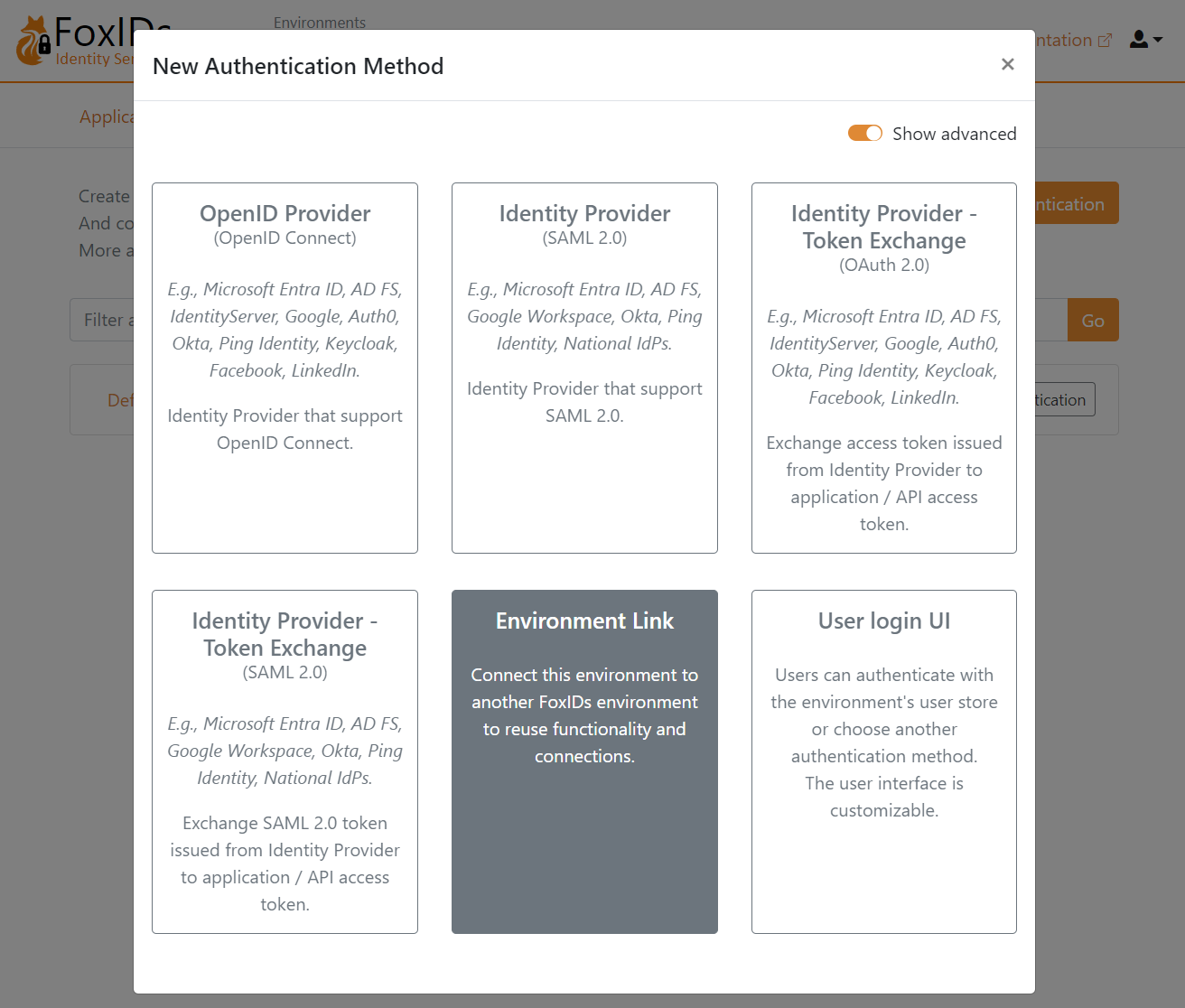
Adicione o Name, por exemplo
Environment X to YSelecione o ambiente
Environment Y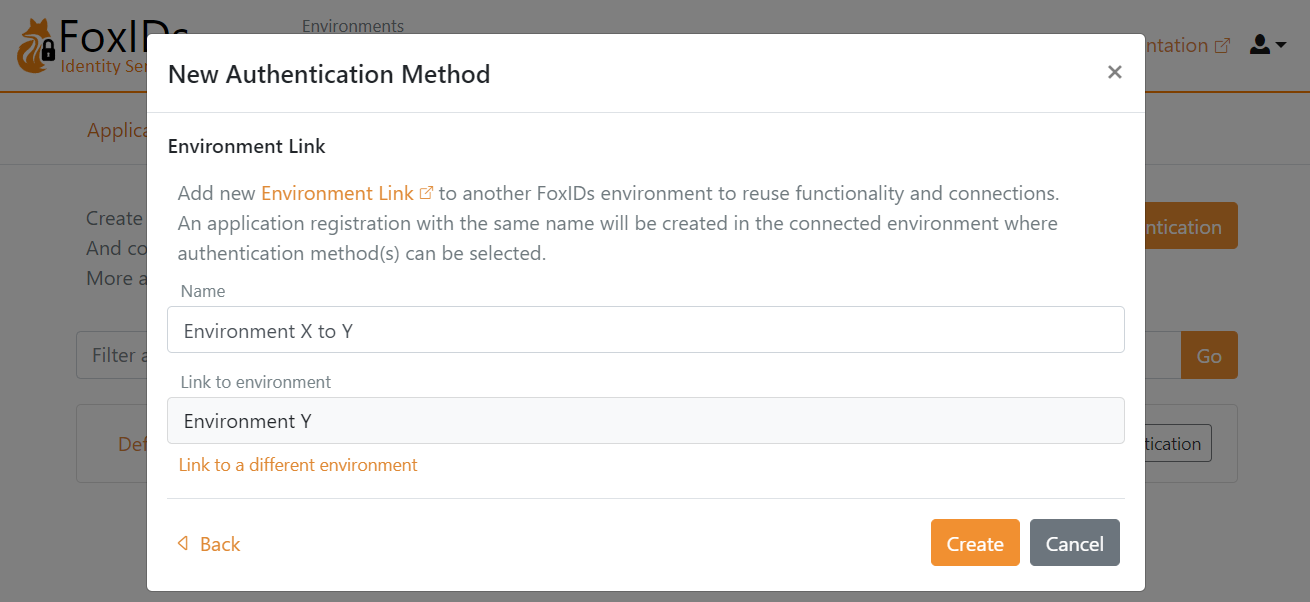
Clique em Create
E so isso, terminou.
O seu novo metodo de autenticacao Environment X to Y pode agora ser selecionado como metodo de autenticacao permitido nas application registrations do seu ambiente Environment X.
Pode encontrar a application registration Environment X to Y no ambiente Environment Y, onde pode ser selecionado um ou mais metodos de autenticacao.