OpenID Connect application registration
FoxIDs OpenID Connect application registration enables you to connect an OpenID Connect based application.
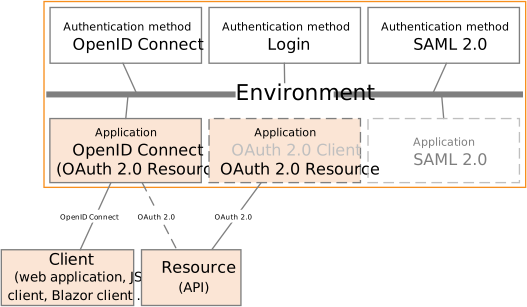
Your application becomes a Relying Party (RP), and FoxIDs acts as the OpenID Provider (OP).
FoxIDs supports OpenID Connect Discovery, so your application can discover the OpenID Provider.
FoxIDs supports OpenID Connect authentication, RP-initiated logout, and front-channel logout. A session is established when the user authenticates, and the session ID is included in the ID token. The session is invalidated on logout.
FoxIDs can show a logout confirmation dialog depending on the client configuration and on whether an ID token is included in the logout request.
By default, both the ID token and access token use the client ID as the audience. The default resource can be removed from the access token in FoxIDs Control.
Access tokens can also be issued with multiple audiences and therefore target multiple APIs defined in FoxIDs as OAuth 2.0 resources. The application can then call an API and secure the request with the access token according to The OAuth 2.0 Authorization Framework: Bearer Token Usage.
FoxIDs supports both client secrets and Proof Key for Code Exchange (PKCE), and PKCE is enabled by default. If a client is configured with both PKCE and a secret or key, both are validated. PKCE and client secret or key are not validated in the implicit flow.
The default client authentication method is client secret post, and it can be changed to client secret basic or private key JWT. Client authentication method none is supported with PKCE.
Up to 10 secrets and 4 keys can be configured per client.
FoxIDs supports the OpenID Connect UserInfo endpoint.
How-to guides:
- Connect two FoxIDs environments in the same or different tenants with OpenID Connect
- Connect two FoxIDs environments in the same tenant with an Environment Link
It is recommended to use OpenID Connect Authorization Code flow with PKCE because it is considered a secure flow.
Require multi-factor authentication (MFA)
The OpenID Connect client can require MFA by including urn:foxids:mfa in the acr_values parameter. You can combine it with more specific values such as urn:foxids:link. See request MFA from applications.
The acr_values parameter can be set in the OnRedirectToIdentityProvider event in Startup.cs:
options.Events.OnRedirectToIdentityProvider = (context) =>
{
    // To require MFA
    context.ProtocolMessage.AcrValues = "urn:foxids:mfa";
    return Task.FromResult(string.Empty);
};
See more code in the AspNetCoreOidcAuthorizationCodeSample and Startup.cs line 141.
Configuration
How to configure your application as an OpenID Connect application registration, Relying Party (RP), or client.
The client's FoxIDs discovery document is
https://foxids.com/tenant-x/environment-y/application-client1/.well-known/openid-configurationif the client is configured in tenanttenant-x, environmentenvironment-y, with the application registration client nameapplication-client1.
An application registration client can support login through multiple authentication methods by adding the authentication method name to the URL. For example, an authentication method name such as
logincan be added to the discovery URL like this:https://foxids.com/tenant-x/environment-y/application-client1(login)/.well-known/openid-configuration
During RP-initiated logout, the authentication method name can be omitted in the URL if the ID token is provided in the request.
Configure Authorization Code Flow for a confidential client
A confidential client is typically a server-side web application where the web server stores the client secret.
- Specify the client name in the application registration name.
- Select the allowed authentication methods.
- Specify the redirect URIs.
- Specify the post-logout redirect URI.
- Select
codeas the response type, or optionally but not recommendedcode tokenorcode token id_token. - PKCE is not required for a confidential client, but it is recommended to mitigate replay attacks.
- Specify a secret.
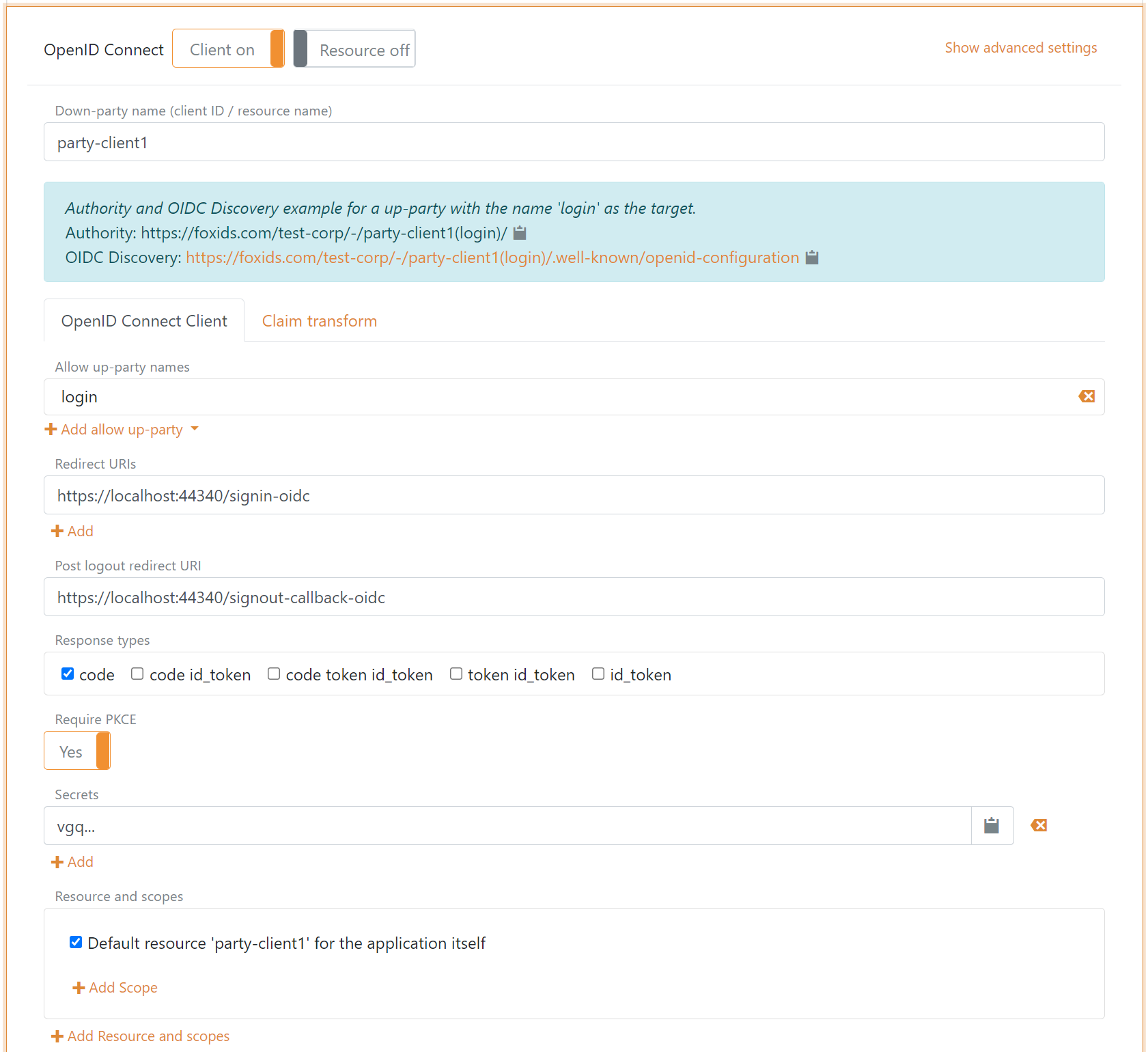
Configure Authorization Code Flow for a public client
A public client can be a browser-based rich client, Blazor client, or mobile app. The application should use PKCE and should not use a client secret.
- Specify the client name in the application registration name.
- Select the allowed authentication methods.
- Specify the redirect URIs.
- Specify the post-logout redirect URI.
- Select
codeas the response type. - Use PKCE, which is enabled by default.
Click Show advanced to configure allowed CORS origins.
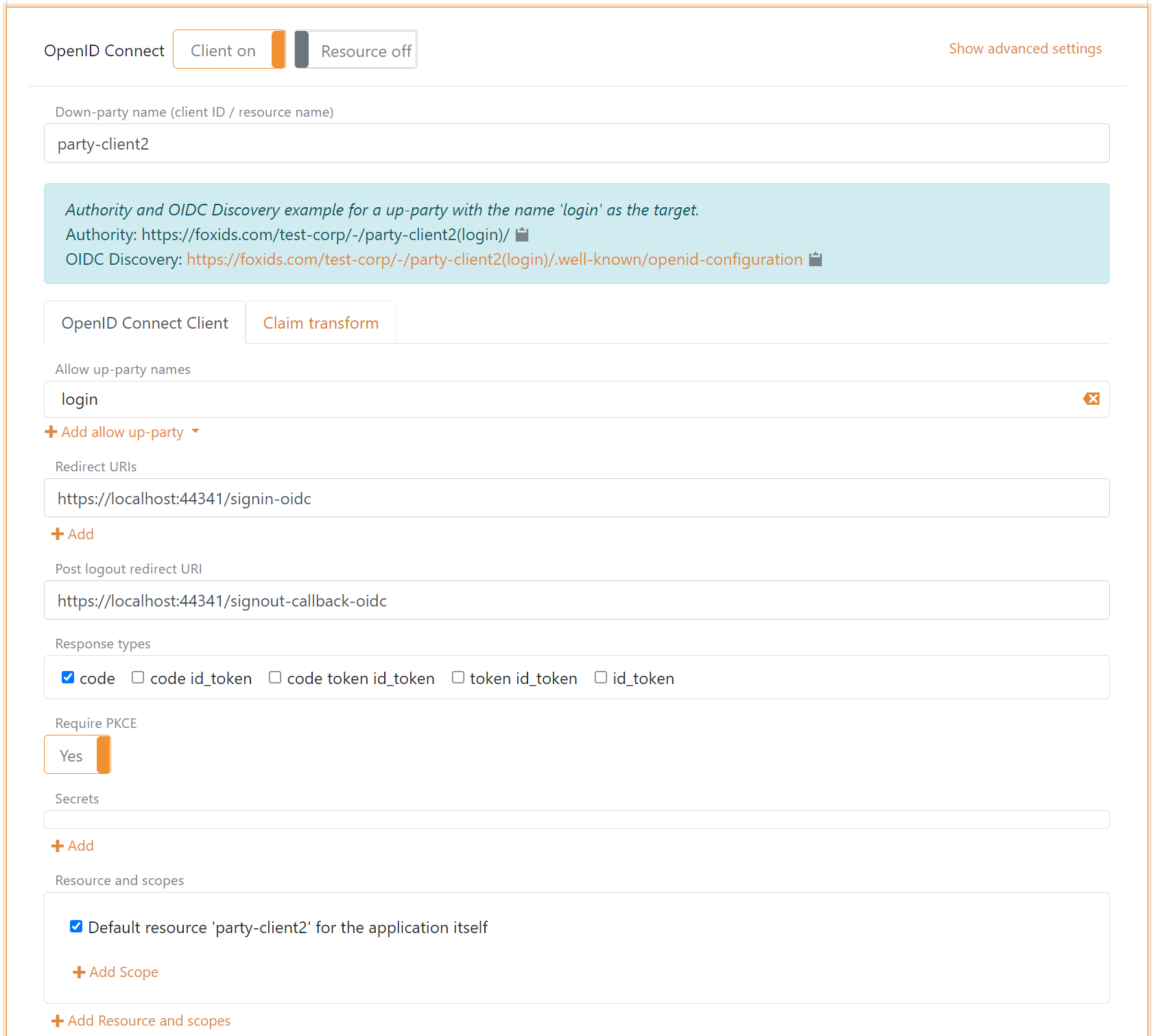
Configure Implicit Code Flow for a public client
A public client can be a browser-based rich client. The application uses neither PKCE nor a client secret.
It is not recommended to use Implicit Code Flow because it is insecure.
- Specify the client name in the application registration name.
- Select the allowed authentication methods.
- Specify the redirect URIs.
- Specify the post-logout redirect URI.
- Select
token id_tokenas the response type, or optionally onlytoken. - Disable PKCE.
- Do not specify a secret.
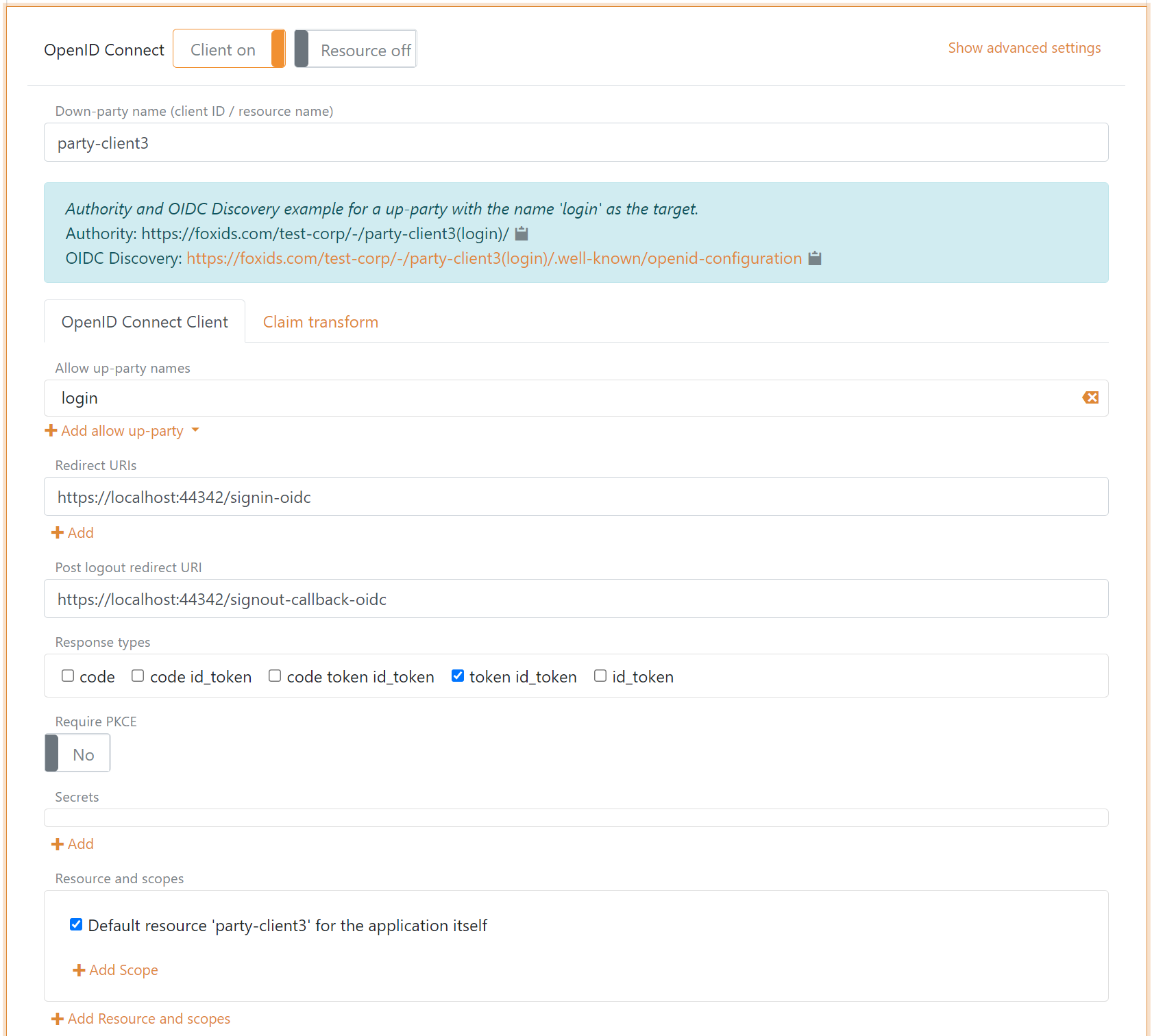
Client and API
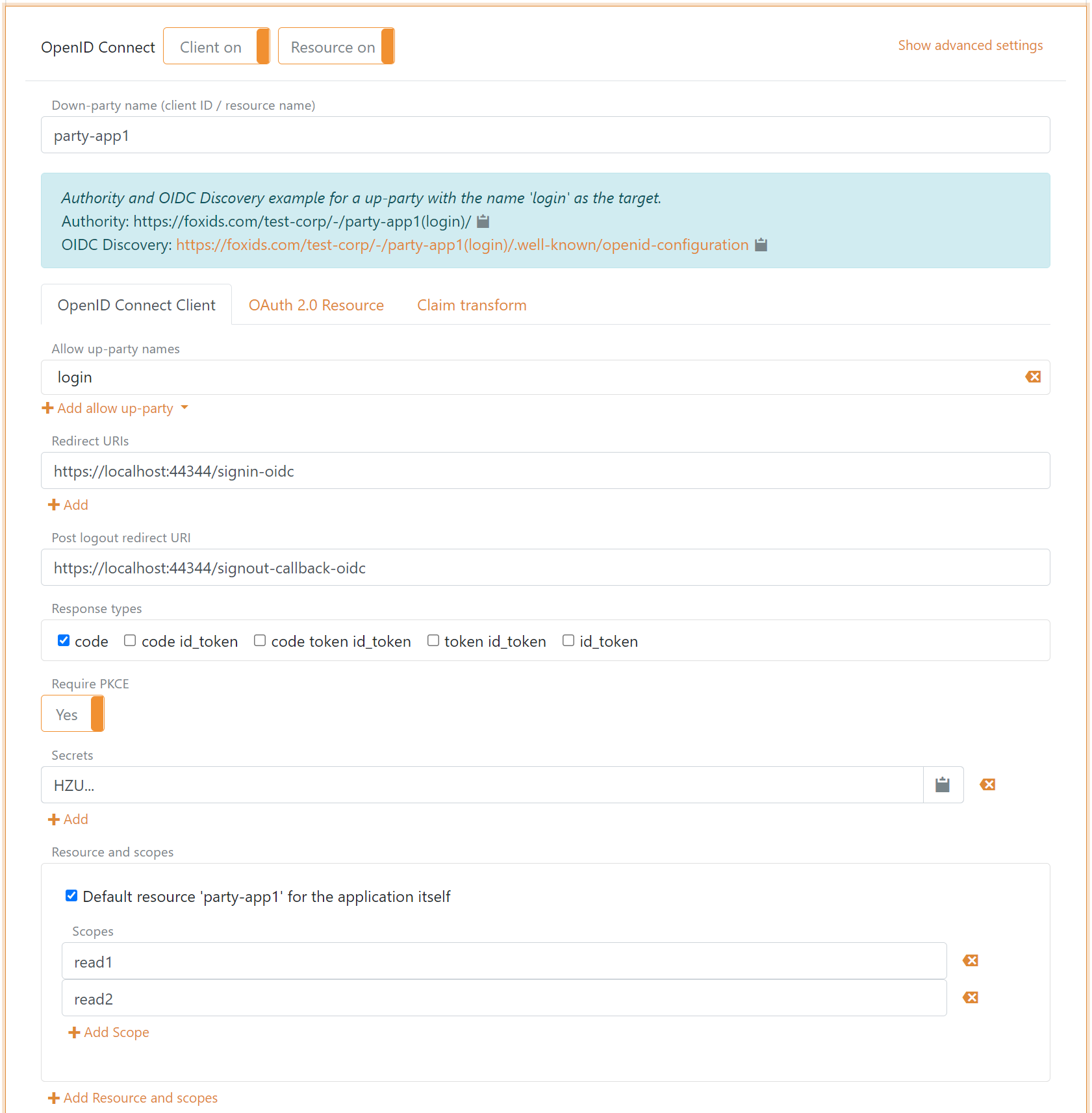
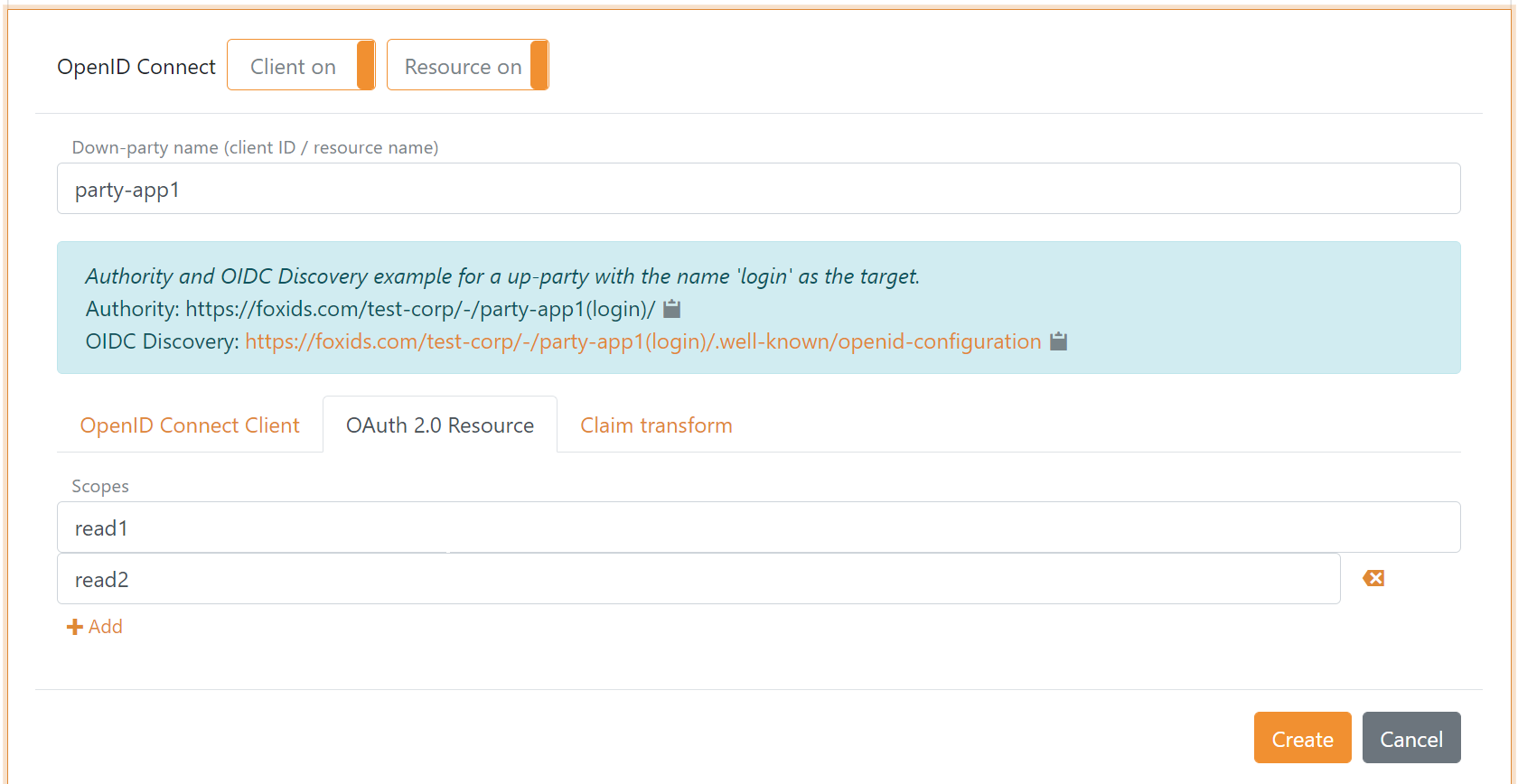
It is possible to configure both the client and the API, which is an OAuth 2.0 resource, in the same OpenID Connect application registration. In that case, both the client and the API are defined with the same name. You can also configure resource scopes for the API.
Client tab
Resource tab
Resource and Scopes
An API is defined as a resource, and scopes are defined under that resource. Such scopes use the format resource name plus dot plus scope, for example application-api1.read1 or application-api1.read2.
In the client configuration tab, the scopes are defined under the resource name field.

In the resource configuration tab, the scopes are defined as a list of scope values.

Scopes configured on the client are validated against the scopes that exist on the API. If the client and API are configured in the same application registration, scopes added to the client are automatically added to the resource.
Scopes
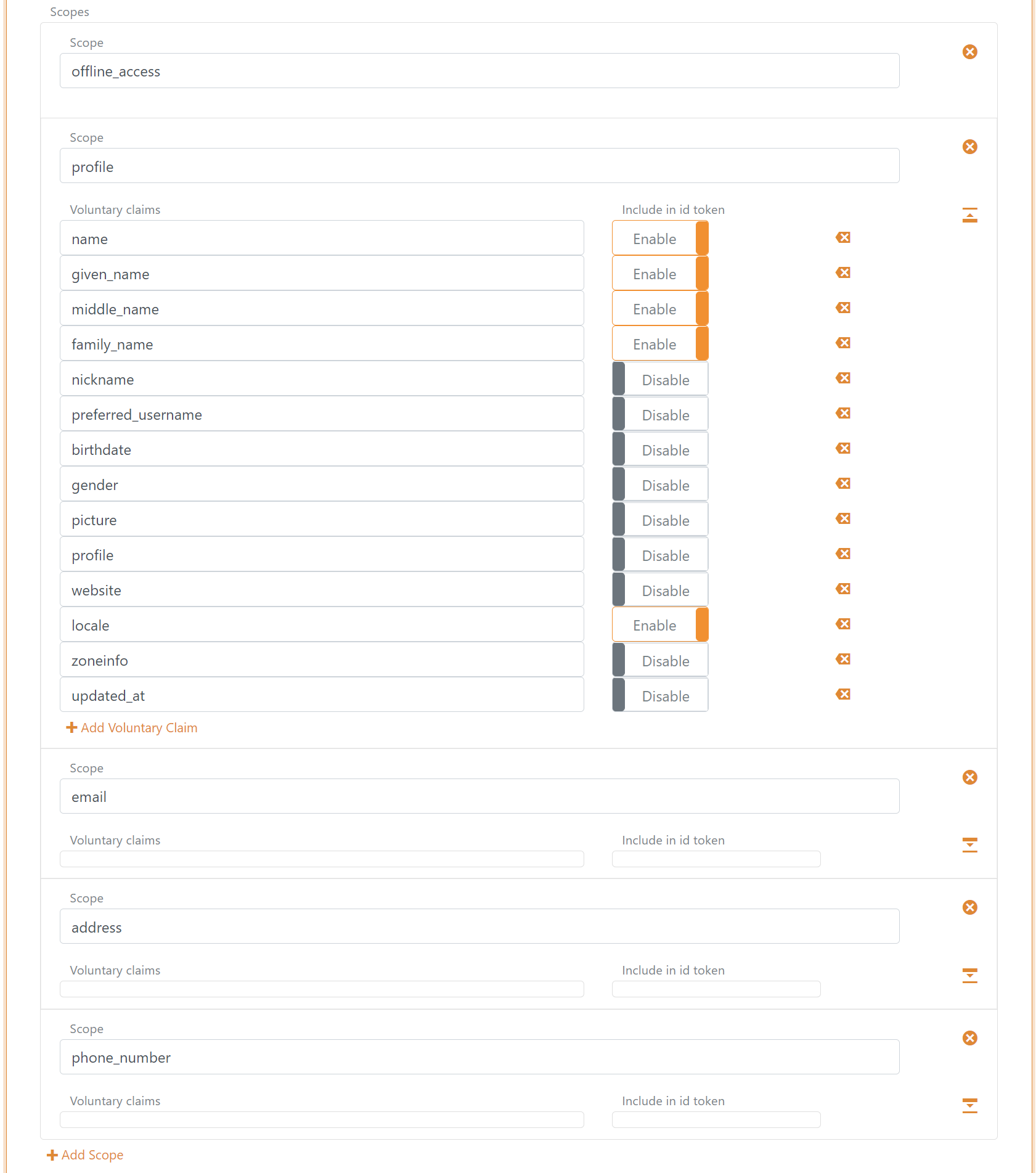
Scopes can be configured in the client configuration tab. You can define new scopes and the set of claims that should be issued for those scopes in the Voluntary claims list.
You can change claims and implement claim tasks with claim transforms and claim tasks.
If you are creating a new claim, add the claim or * to the Issue claims list, or add the claim to the Voluntary claims list and request the scope from your application.
A set of default scopes is added to the client configuration and can then be changed or deleted.
Token lifetime
The token lifetime is configured for the ID token, access token, and refresh token.
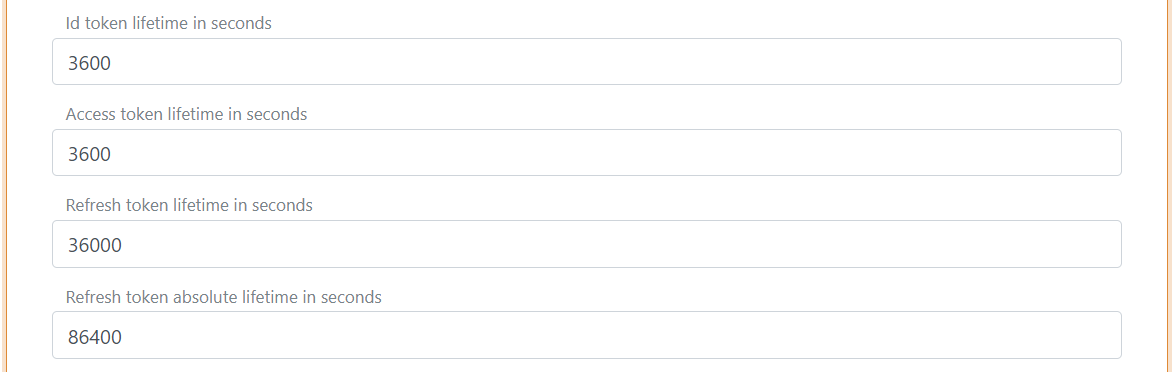
In this example, each refresh token is valid for 36,000 seconds. The application can continue to refresh the session with refresh tokens until the absolute lifetime of 86,400 seconds is reached.