Connect to Microsoft Entra ID with SAML 2.0 (Template)
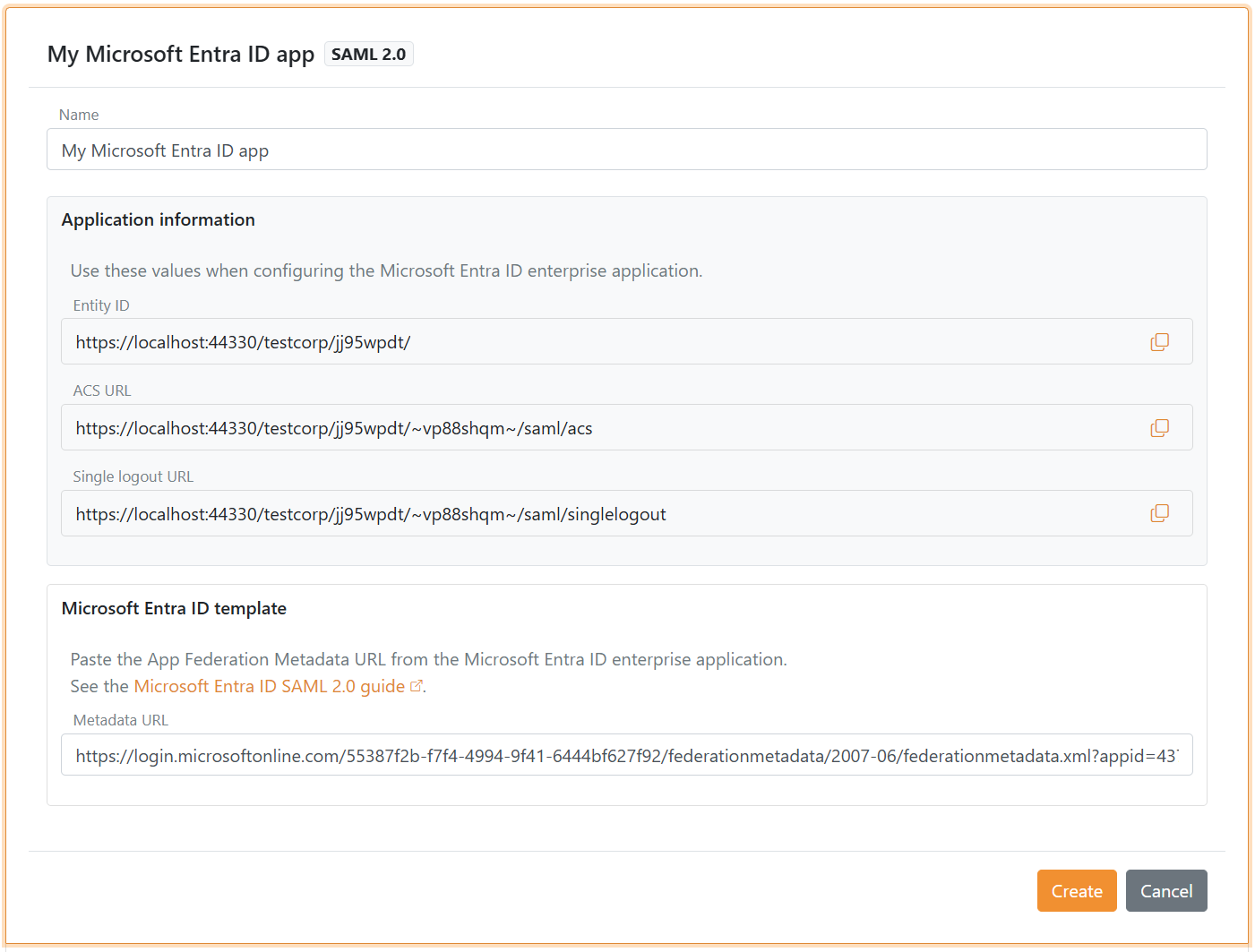
Use the Microsoft Entra ID template to configure a SAML 2.0 authentication method with Microsoft Entra ID. The template shows the Entity ID, ACS URL, and Single logout URL you need in Entra ID and requires the enterprise application metadata URL.
OpenID Connect bridge
By configuring a SAML 2.0 authentication method and an OpenID Connect application registration FoxIDs becomes a bridge between SAML 2.0 and OpenID Connect. FoxIDs then handles the SAML 2.0 connection as a Relying Party (RP) / Service Provider (SP) and you only need to care about OpenID Connect in your application.
Create the authentication method in FoxIDs
1) Start in FoxIDs Control Client
- Go to the Authentication tab
- Click New authentication
- Select Microsoft Entra ID - SAML 2.0
- Enter a name for the authentication method
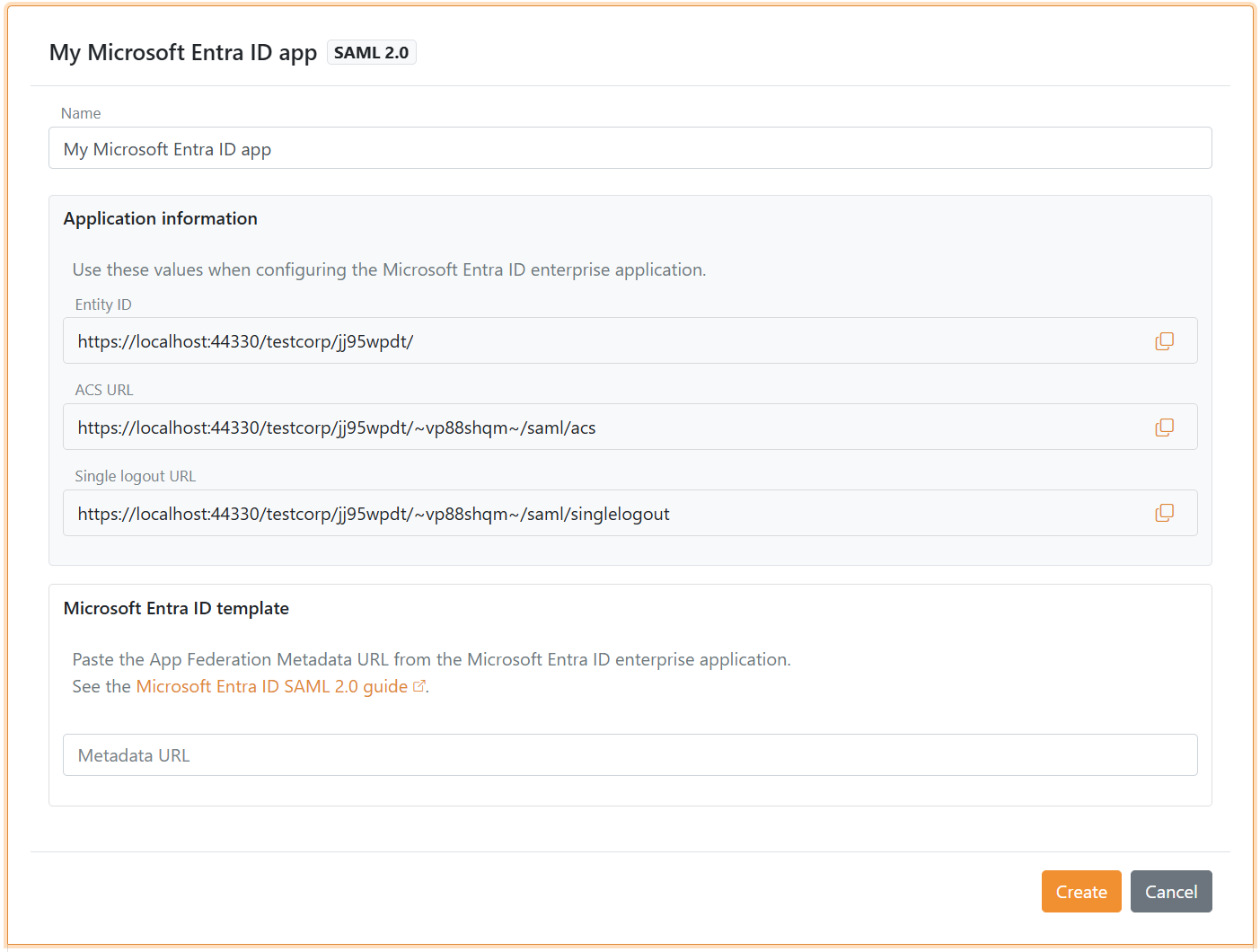
2) Copy the FoxIDs application information
- Copy the Entity ID
- Copy the ACS URL
- Copy the Single logout URL
- Keep the page open
Create the Microsoft Entra ID enterprise application
3) Create the enterprise application in Microsoft Entra ID
- Open the Microsoft Entra admin center at http://entra.microsoft.com/
- Go to Enterprise applications
- Click New application
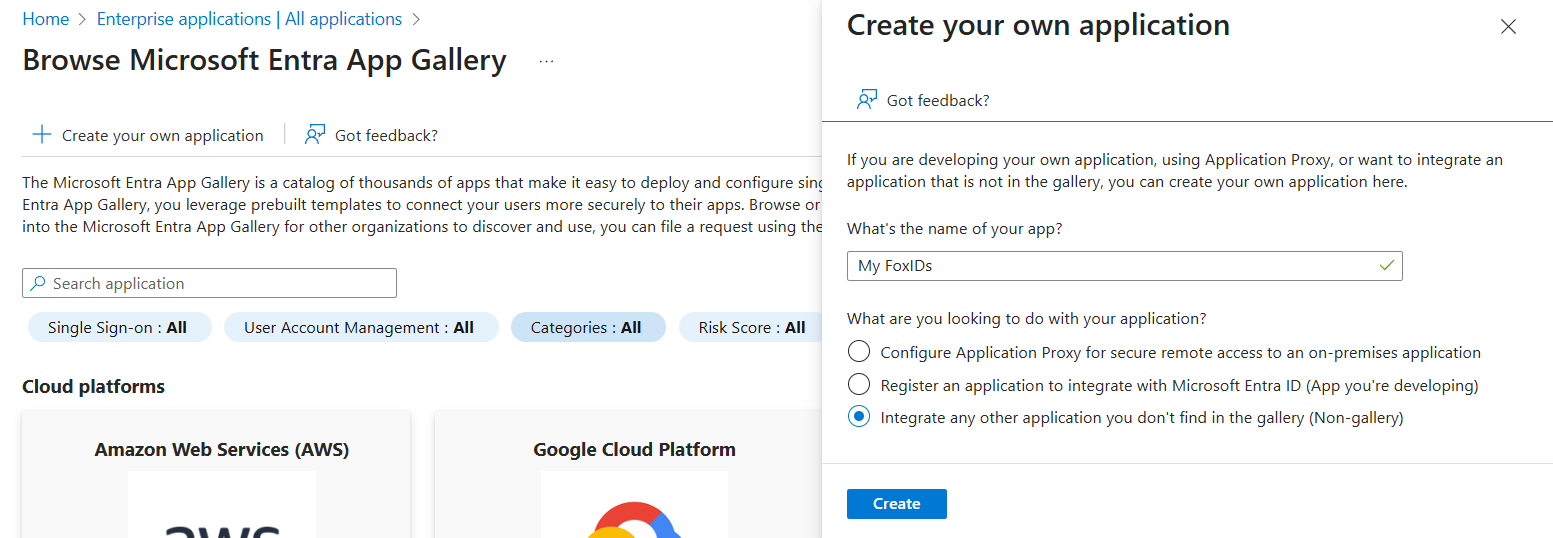
- Click Create your own application
- Enter a name for the application
- Click Create
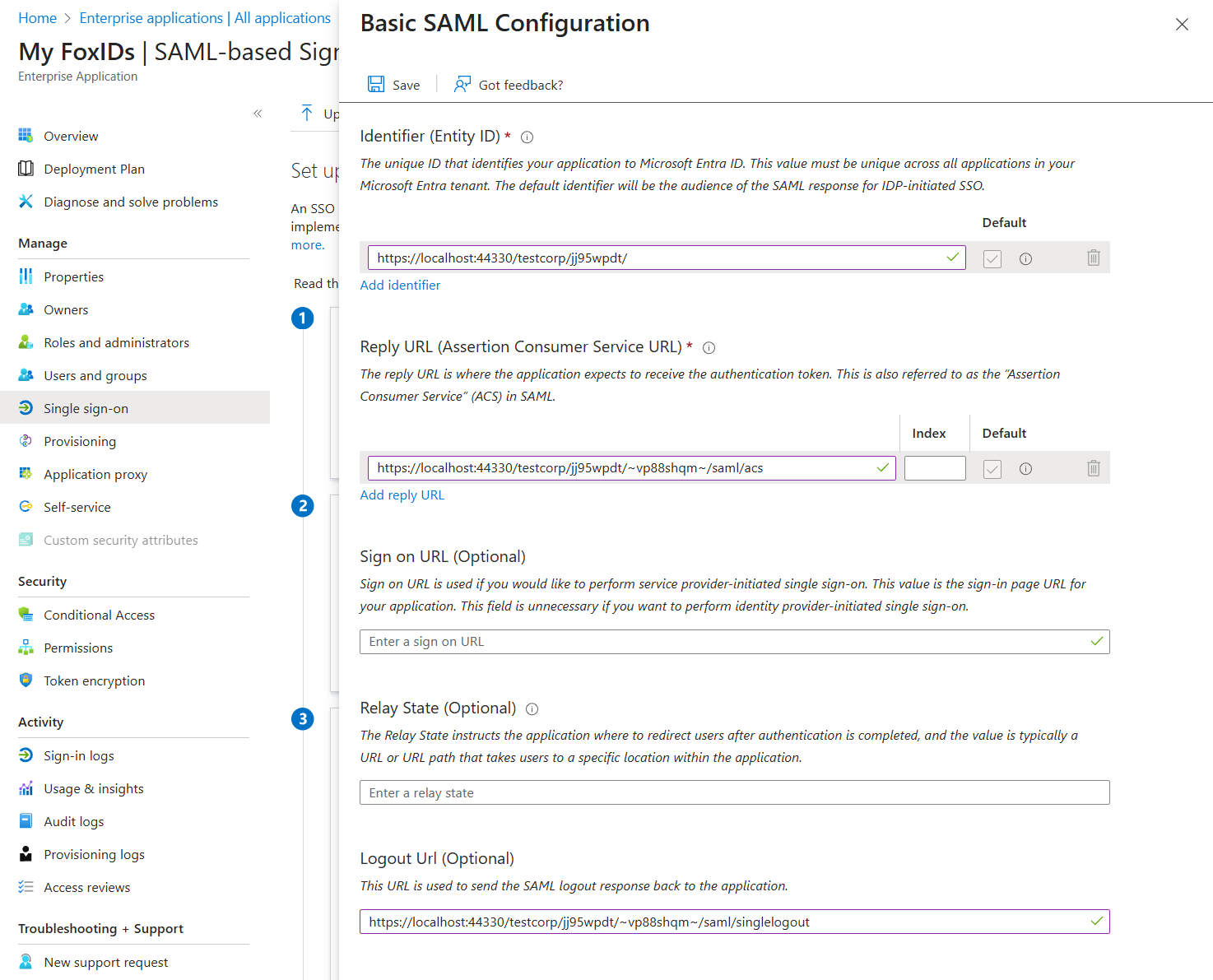
4) Configure SAML single sign-on
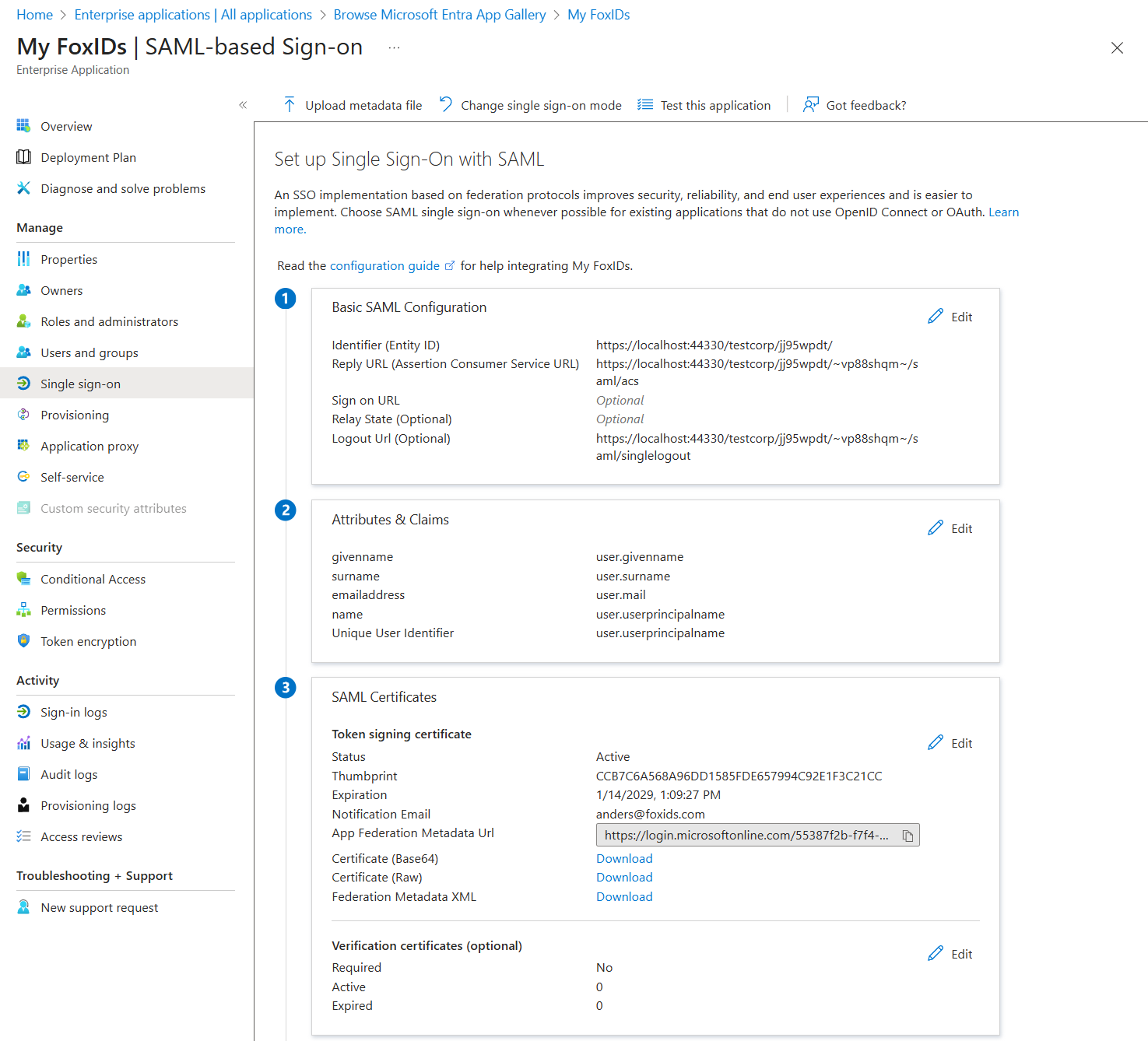
- Open the Single sign-on blade and choose SAML
- In Basic SAML Configuration, add the values from FoxIDs:
- Entity ID (Identifier)
- ACS URL (Reply URL)
- Single logout URL (Logout URL)
- Click Save
5) Copy the federation metadata URL
- In the SAML Certificates section, copy the App Federation Metadata URL
Finish the authentication method in FoxIDs
6) Save the metadata URL and create
- Paste the App Federation Metadata URL into the required Metadata URL field
- Click Create
FoxIDs monitors the metadata URL. When Microsoft Entra ID rotates certificates, the new certificates are provisioned automatically.
Test the authentication method
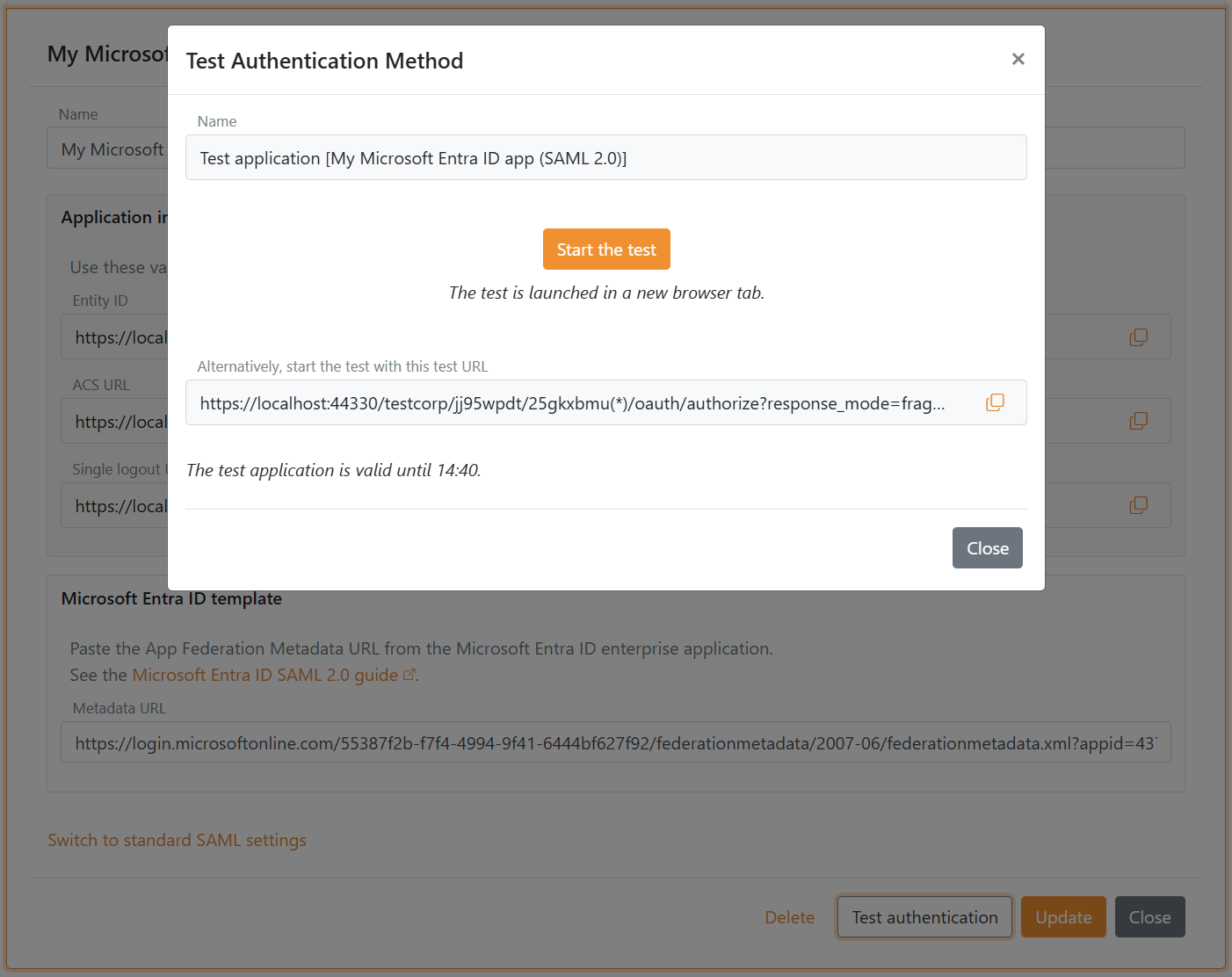
- Click Test authentication to create a test application
- Click Start the test to start the test