Aan de slag
FoxIDs Cloud laat je in enkele minuten een tenant aanmaken en direct beginnen met het configureren van veilige identiteitsstromen. Maak een nieuwe tenant aan of log in met een bestaand account om FoxIDs Control te openen.
Wil je FoxIDs zelf draaien? Zie de gids voor zelf gehoste uitrol.
1) Maak een tenant aan of krijg toegang
- Meld je aan voor FoxIDs Cloud of log in bij FoxIDs Control.
- Bevestig je e-mail en maak een wachtwoord aan en je wordt direct naar FoxIDs Control geleid.
FoxIDs.com wordt gehost in Europa en werkt als een beheerde Identity Service (IDS), zodat je geen infrastructuur of updates hoeft te beheren.
2) Kies je omgeving
FoxIDs tenants bevatten een toegewijde master omgeving plus applicatieomgevingen:
- Master environment: Beheer tenantbrede instellingen, wijzig plannen, voeg betaalkaarten toe en bepaal welke omgevingen beschikbaar zijn voor je team.
- Application environments: Elke omgeving heeft zijn eigen configuratie en gebruikersopslag. Tenants starten met een test en een production omgeving om werk en live verkeer gescheiden te houden.
- Isolation: Gebruikers, gegevens en instellingen worden nooit tussen omgevingen overgezet. Maak testgebruikers aan en valideer wijzigingen zonder productieaanmeldingen te beinvloeden.
- Flexibility: Verwijder omgevingen die je niet meer nodig hebt of voeg nieuwe toe wanneer je releaseproces groeit. Het Free plan bevat twee omgevingen; upgrade naar een Pro of Enterprise plan vanuit de master omgeving om extra omgevingen vrij te maken.
Gebruik de omgevingskiezer in FoxIDs Control om te wisselen tussen test en production (of extra omgevingen die je maakt) voordat je wijzigingen doorvoert.
3) Configureer je eerste applicatie
Laten we de eerste OpenID Connect applicatie configureren en inloggen met een testgebruiker in de test omgeving.
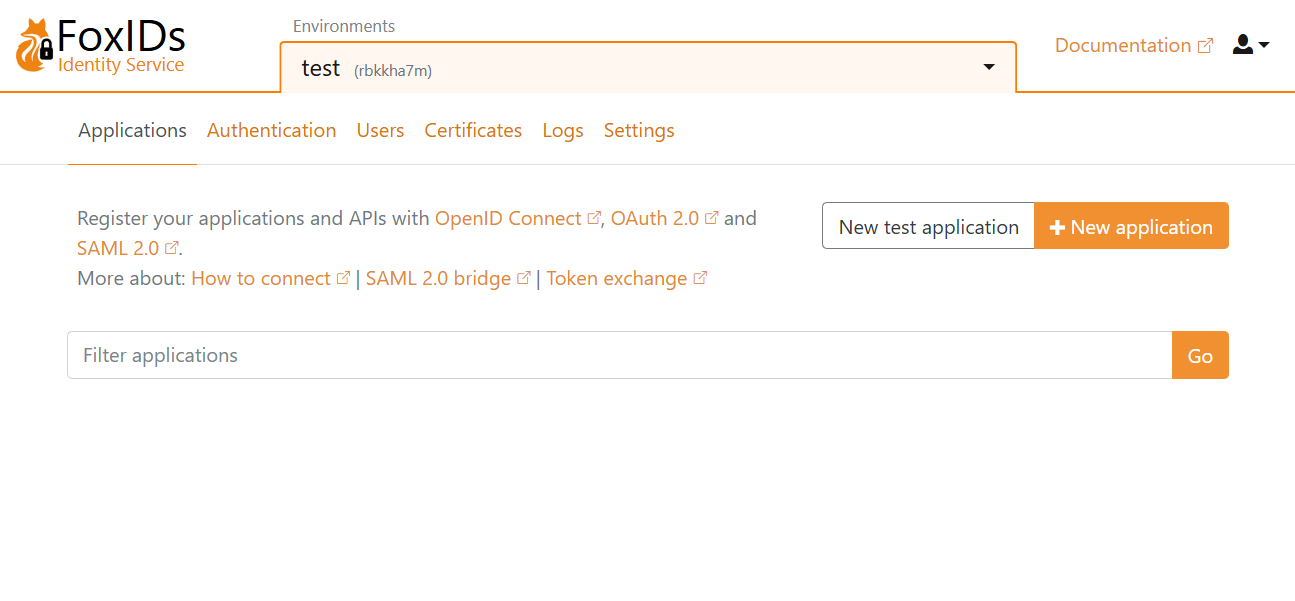
Klik op New application en selecteer daarna een OpenID Connect Web Application.
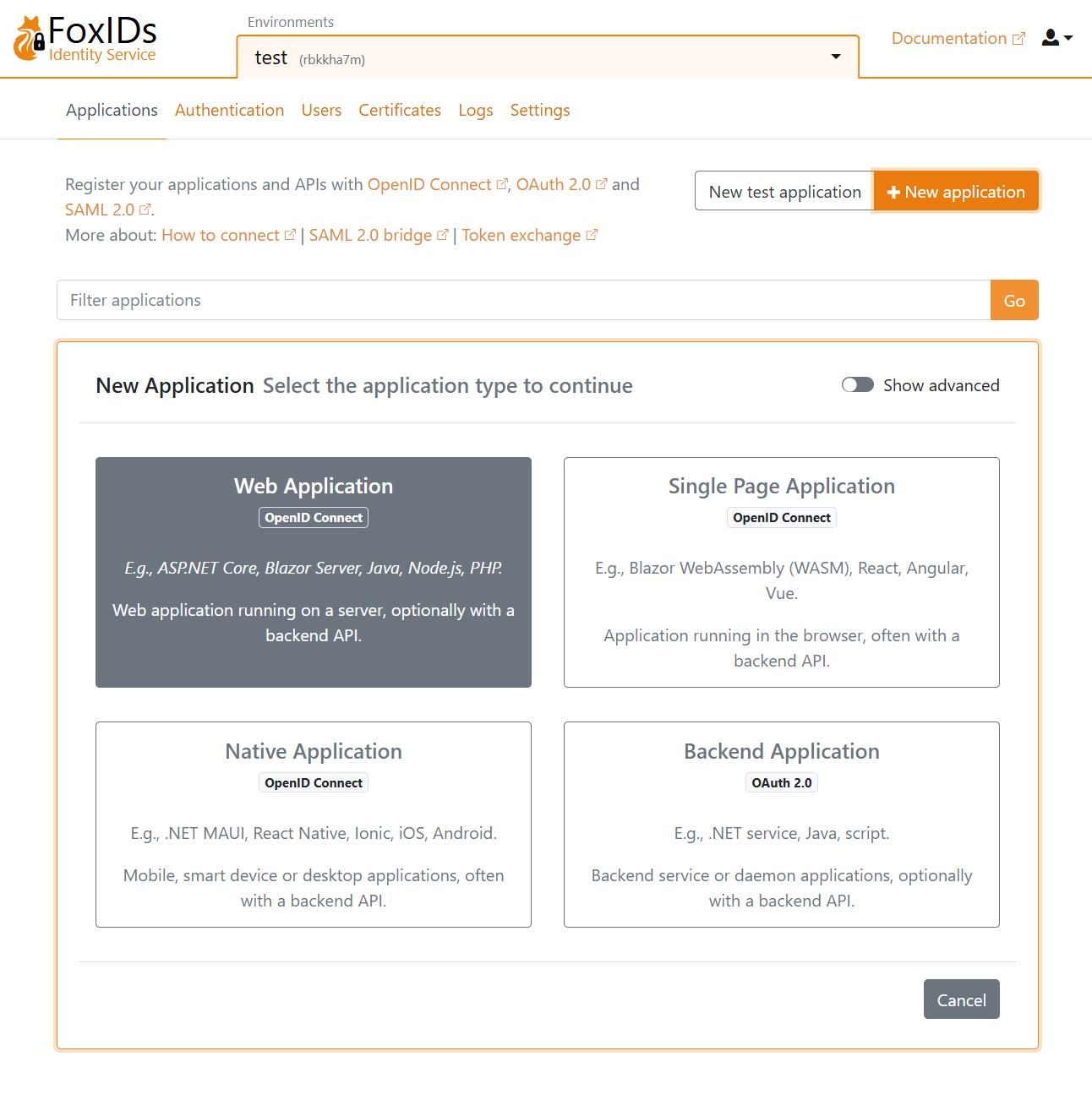
Vul Name in en gebruik de basis URL als Redirect URI.
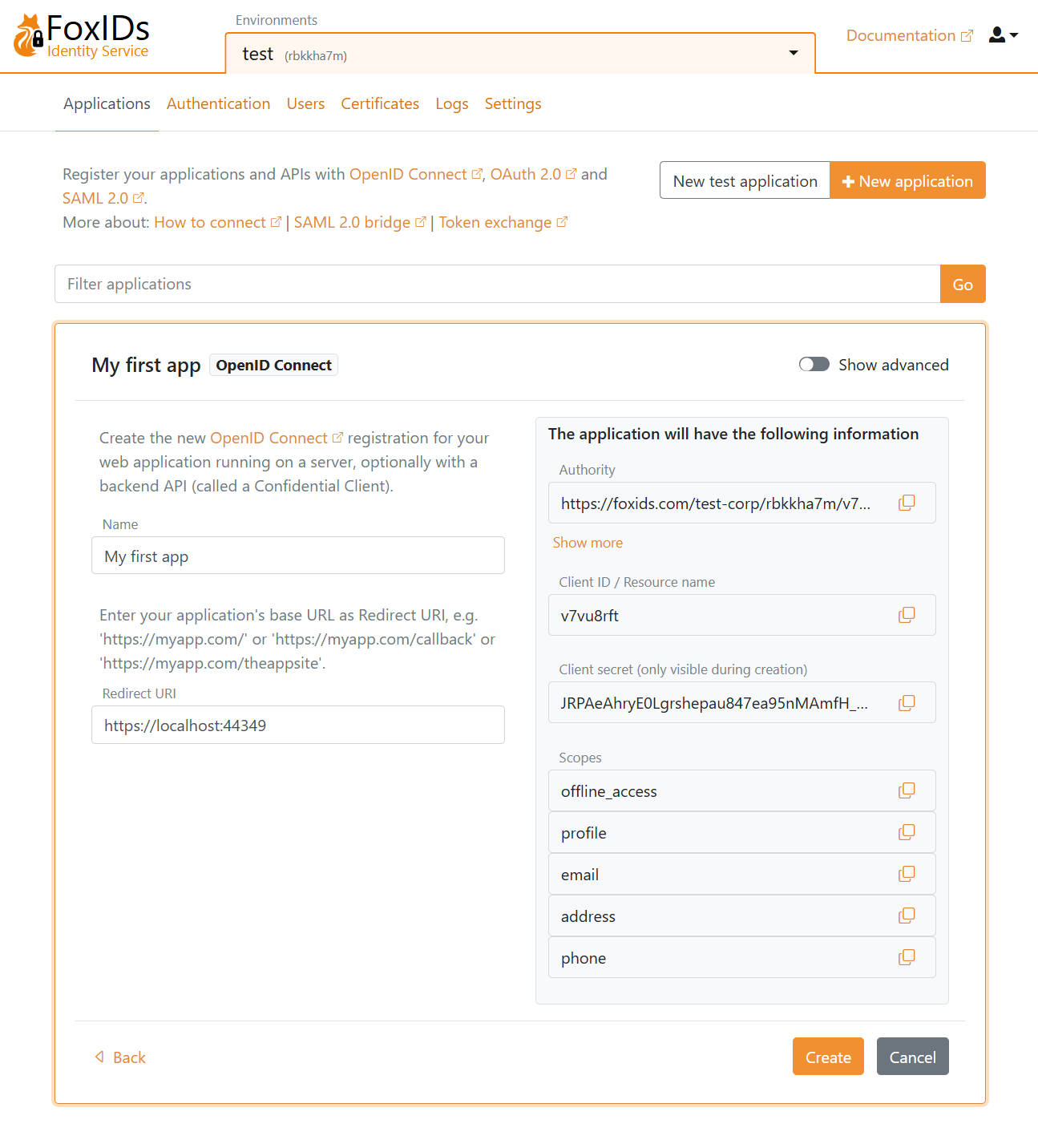
Klik op Create om de applicatieconfiguratie op te slaan. Kopieer Authority, Client ID en Client secret, en optioneel de scopes. Klik op Show advanced als je het OpenID Connect (OIDC) discovery endpoint nodig hebt.
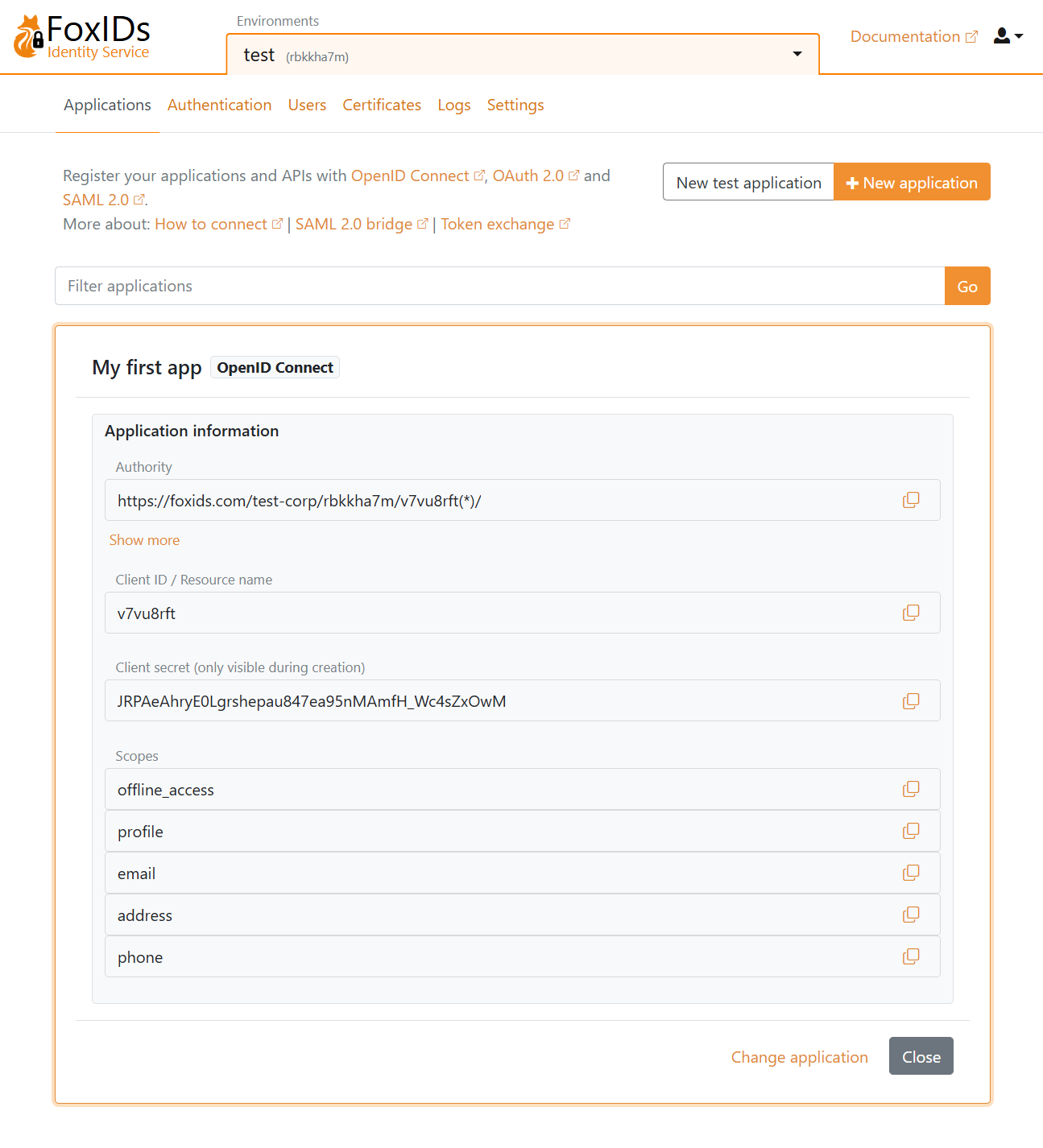
Voeg de configuratiedetails Authority, Client ID en Client secret toe aan je applicatie.
Open je applicatie en start de login flow. Je wordt vervolgens doorgestuurd naar de FoxIDs login prompt (getoond in je taal) waar je kunt kiezen om een nieuwe testgebruiker aan te maken.
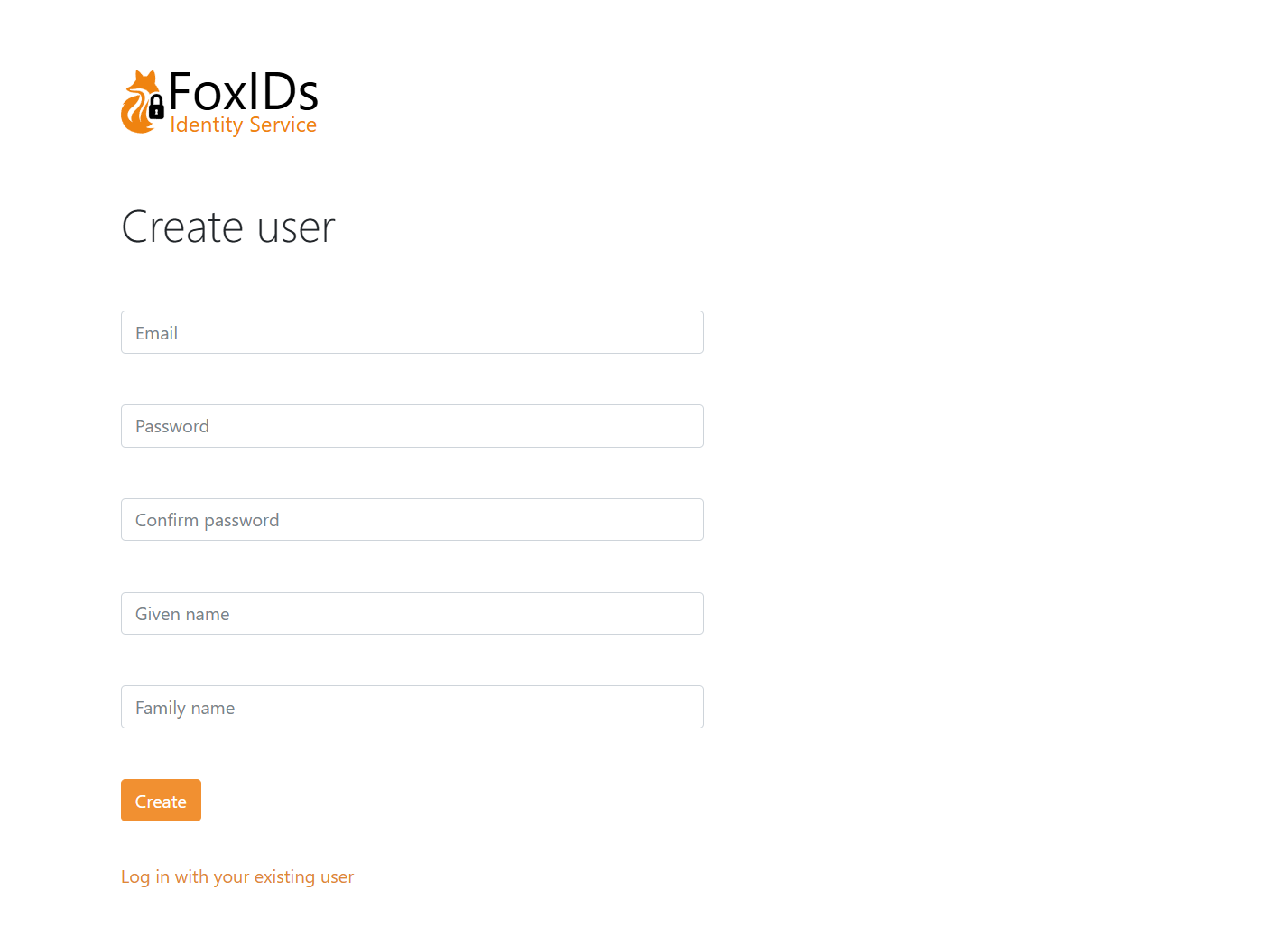
Log daarna in.